

What does AppMatic Tech design?
AppMatic Tech delivers UI/UX design across five product categories: native mobile apps, cross-platform mobile apps, SaaS dashboards, design systems, and marketing websites. All deliverables are produced in Figma and reviewed by the assigned framework engineer before handoff.
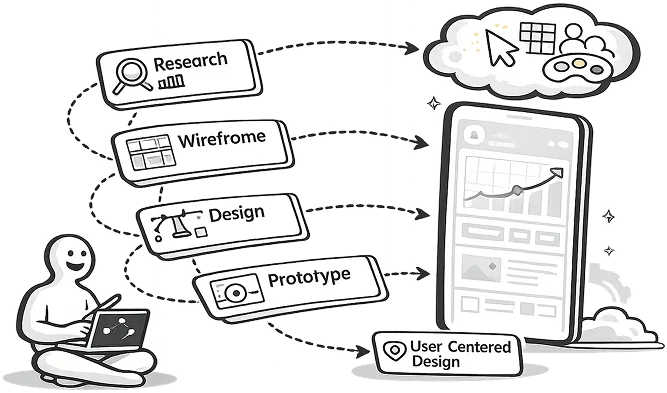
- iOS and Android App UI/UX
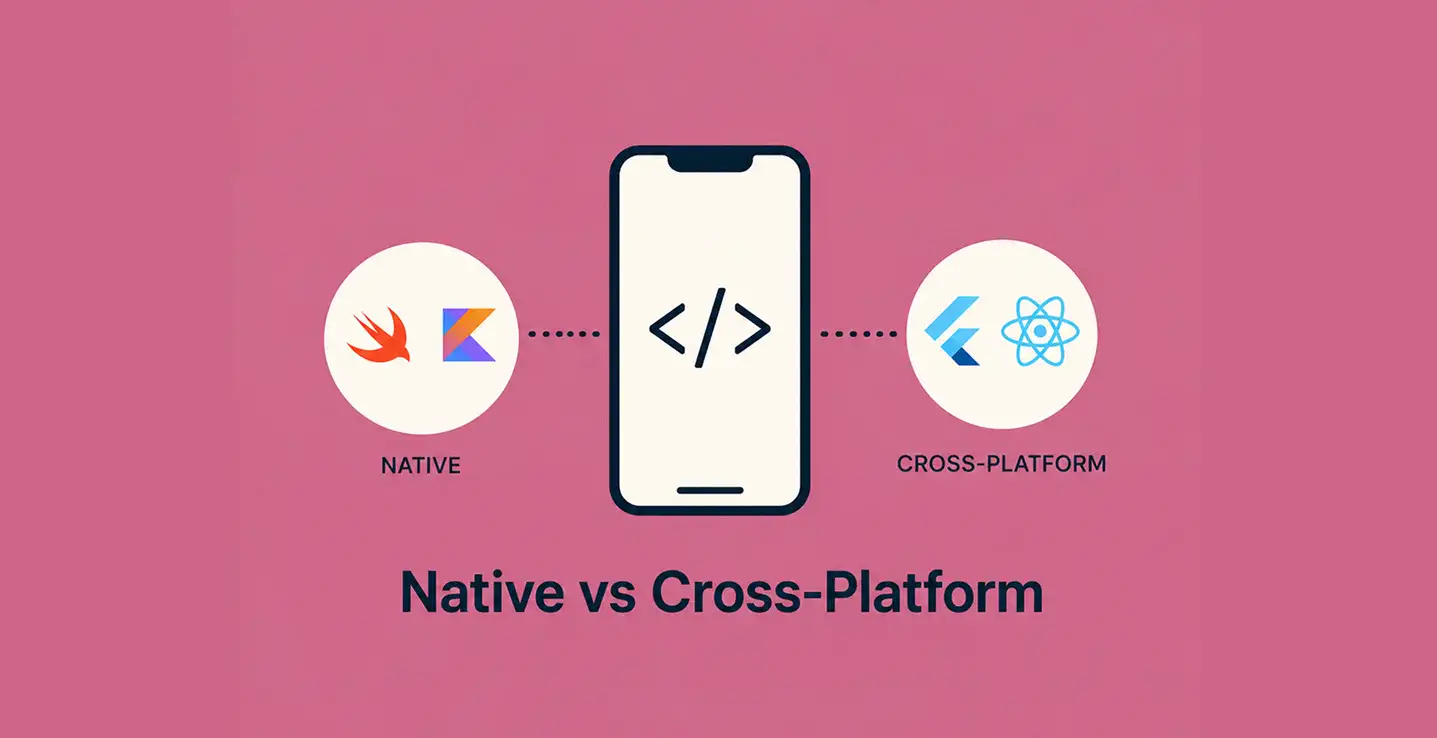
- Native mobile app interface design for Swift (iOS) and Kotlin (Android) applications, and cross-platform design for Flutter and React Native. AppMatic Tech designs mobile UI at the component level, with each screen reviewed against iOS Human Interface Guidelines and Material Design 3 standards for the target platform before handoff.
- SaaS and Web Dashboard UI/UX
- Interface design for SaaS platforms, admin dashboards, and web applications built in React. Dashboard design at AppMatic Tech covers data visualisation layout, navigation architecture, table and filter component design, and responsive breakpoint specifications across desktop, tablet, and mobile viewports.
- Design Systems
- Full design system delivery in Figma: component library with defined tokens (colour, typography, spacing, border radius), component states (default, hover, focus, disabled, error), and Figma Dev Mode annotations for the engineering team. AppMatic Tech delivers design systems with framework-specific implementation notes for React and Flutter.
- Micro-animations and Motion Design
- Production-ready motion design using Lottie (After Effects export) and Rive for interactive animations deployed inside iOS, Android, Flutter, and web apps. AppMatic Tech tests all animation files against 60fps render performance on mid-range Android devices before delivery to confirm no production performance penalty.
- Website and Landing Page UI/UX
- Marketing website and product landing page design for SaaS companies and mobile-first products. Delivered as Figma files with full responsive specifications across desktop (1440px), tablet (768px), and mobile (375px) breakpoints.
UI/UX Design Tools Used

- FigmaPrimary tool for all UI design, component libraries, design tokens, interactive prototypes, and Dev Mode handoff annotations across all AppMatic Tech design projects.
- PrincipleiOS and macOS interaction prototypes with timeline-based animation, used for complex transition design where Figma Prototyping cannot reproduce the intended interaction fidelity.
- FramerWeb prototype delivery for React-based products where browser-native interaction fidelity is required for stakeholder sign-off before engineering begins.
- Lottie + After EffectsProduction micro-animation design exported as Lottie JSON for deployment inside iOS, Android, Flutter, and React Native apps. All files are 60fps-tested on mid-range Android devices before delivery.
- RiveInteractive animation for state-driven UI elements including onboarding flows, loading states, and transitions where Lottie's linear playback is insufficient for the interaction requirement.
- MazeUnmoderated usability testing for mobile and web Figma prototypes, used to validate navigation architecture and core user flows before production build begins.
- Figma Dev ModePrimary developer handoff tool with spacing, colour token, typography, and property annotations for all AppMatic Tech design deliverables.
- Miro and FigJamUser journey mapping, information architecture diagramming, and product discovery workshop facilitation. Used during the first week of all design engagements to align on user goals before wireframing.
- Adobe XDUsed for legacy project handoff compatibility and client-supplied asset workflows where existing design files are in XD format.
AppMatic Tech UI/UX Design Frameworks (2017–2026)
- Engineer-Paired Design Protocol
- AppMatic Tech's Engineer-Paired Design Protocol is a mandatory engineering feasibility review that runs on every Figma screen before it exits the design stage. The engineer assigned to the target framework (Swift for iOS, Kotlin for Android, Flutter, or React) reviews each screen for implementation complexity, flags interactions or transitions requiring custom framework code or third-party libraries, and approves the screen before it enters the handoff queue. Across 330+ products shipped since 2017, this protocol has reduced design rework cycles to under one revision per screen on average, measured against the production implementation.
- 60fps Animation Production Standard
- AppMatic Tech tests all Lottie and Rive animation files against 60fps render performance on a defined mid-range Android test device before delivery. Animations that drop below 60fps on the test device are optimised (layer count reduced, blend modes simplified, or the animation rebuilt in Rive with hardware-accelerated rendering) before the file is approved for the engineering handoff. This standard ensures production animation quality matches prototype quality on the lowest-common-denominator device in the target user base.
- Design System Token Delivery Requirement
- Every AppMatic Tech design system engagement delivers a full Figma token set (colour: brand, semantic, neutral; typography: scale, weight, line height; spacing: base-4 or base-8 grid; and border radius) as variables in Figma, with a corresponding framework-specific implementation note for the engineering team. Token delivery is a non-negotiable deliverable on all design system engagements, not an optional addition, because token-less design system handoffs generate repeated QA cycles when the engineering team interprets spacing and colour values independently.

What types of UI/UX design projects does AppMatic Tech take on?
| Industry | Use Case | Design Scope | AppMatic Tech Implementation |
|---|---|---|---|
| Healthcare | Patient-facing mobile app UI/UX | Figma + Lottie | iOS HIG-compliant screens, accessibility audit, 60fps onboarding animation |
| SaaS | Admin dashboard and data visualisation UI | Figma + Framer | Desktop-first responsive design, component library, Figma Dev Mode handoff |
| Travel | Booking flow and itinerary UI for iOS and Android | Figma + Principle | Cross-platform component design, Material Design 3 + iOS HIG compliance |
| Fitness | Activity tracking and progress UI | Figma + Rive | Animated progress states, dark mode variants, Flutter-ready component specs |
| B2B Operations | Field operations app UI/UX redesign | Figma + Maze | Information architecture remap, usability-tested navigation, Figma Dev Mode handoff |
| Mobile Startup | Zero-to-MVP product design | Figma + Principle + Lottie | Full design system, interactive prototype, motion design, handoff in 30 days |
What is the UI/UX design process at AppMatic Tech?
AppMatic Tech follows a six-stage design process on every engagement, with engineering feasibility checks running in parallel with design at every stage, not as a separate gate at the end.
- 01 · Discovery and Information Architecture (Days 1–5)
AppMatic Tech maps user goals, business objectives, and technical constraints using Miro. User flows and the app or site information architecture are reviewed and approved by the engineering lead before wireframing begins, ensuring structural decisions are implementable in the target framework.
- 02 · Wireframing (Days 4–10)
Low-fidelity wireframes in Figma for all primary screens, reviewed by the client and the engineering team simultaneously. Navigation structure, component inventory, and data display patterns are locked at this stage before any visual design work begins.
- 03 · Visual Design (Days 8–20)
High-fidelity UI design in Figma using the defined component library, colour token system, and typography scale. Every screen passes AppMatic Tech's Engineer-Paired Design Protocol review, a mandatory engineering feasibility check with the assigned Swift, Kotlin, Flutter, or React engineer, before the screen is marked complete.
- 04 · Motion Design (Days 15–25, where applicable)
Micro-animations designed in After Effects and exported as Lottie JSON, or built in Rive for interactive state-driven animations. All animation files are 60fps-tested on mid-range Android devices before handoff.
- 05 · Prototype and Usability Testing (Days 18–28)
Figma prototype or Principle/Framer prototype built for stakeholder and user testing. Navigation, flow, and interaction issues are identified and resolved at this stage rather than in the development sprint.
- 06 · Developer Handoff (Days 25–30)
Figma Dev Mode annotations completed across all screens. Design tokens documented. A live handoff walkthrough conducted with the engineering team. Zeplin export available on request. All screens and components are marked as approved for development.







When should a company hire AppMatic Tech for UI/UX design instead of a freelancer or design studio?
| Factor | In-House Team | Freelancer | AppMatic Tech |
|---|---|---|---|
| Engineering feasibility check | Possible if co-located with dev team | Rarely: freelancers and studios work without framework knowledge | Every screen, every project: Engineer-Paired Design Protocol |
| Production animation delivery | Depends on individual skillset | Figma prototype only, or Lottie files rarely tested at 60fps | Lottie + Rive, 60fps-tested on mid-range Android before delivery |
| Platform standard compliance | Bounded by hire | Varies by designer and studio background | iOS HIG + Material Design 3 + Flutter + React, all four active |
| Design system delivery | Rarely full component library | Rarely included, or additional scope at pure studios | Full Figma token system with Dev Mode annotations and framework notes |
| Sprint alignment | Sprint-gated by internal process | Freelancer-scheduled or studio-scheduled | Design cycles paired with engineering sprint, 1–2 week design turnaround |
| Cost | Full salary cost regardless of pipeline | Hourly rate with unpredictable scope, or project fee with no engineering included | Fixed-scope engagements from $2,500 (Focused Sprint) or $5,000 (Design Sprint) |

AppMatic Tech UI/UX Design Engagement Options
- Focused Design Sprint
Single-flow audit or design system token sprint, 3–5 screens, one Figma review cycle, Dev Mode handoff
1–2 weeks
- UI/UX Design Sprint
10–20 screens, one prototype review cycle, Figma Dev Mode handoff
3 weeks - Full Product Design
20–30 screens, component library, motion design, two prototype cycles, Figma Dev Mode handoff
5 weeks - Design System Delivery
Full Figma token system (colour, typography, spacing, border radius), component library with all states, framework implementation notes for React or Flutter
4 weeks - UI/UX Redesign
Existing product redesign, 30+ screens, information architecture remap, usability testing, full Figma Dev Mode handoff
6 weeks

AppMatic Tech's AI-Accelerated Delivery Stack
AppMatic Tech's AI-Accelerated Delivery Stack reduces requirements gathering from two weeks to three days and frontend scaffold time by approximately 60%, contributing to the agency's fixed delivery cycle across all recent AI-native products.
What Clients Say About AppMatic Tech
"AppMatic Tech delivered Figma screens that our React engineers could implement without a single rework cycle. The Engineer-Paired Design Protocol was the difference."
SaaS Founder · Clutch"The Lottie animations AppMatic Tech delivered ran at 60fps on our lowest-spec test Android device on the first build. That standard is genuinely rare."
Mobile App Startup · Clutch








AppMatic Tech's Work
Explore More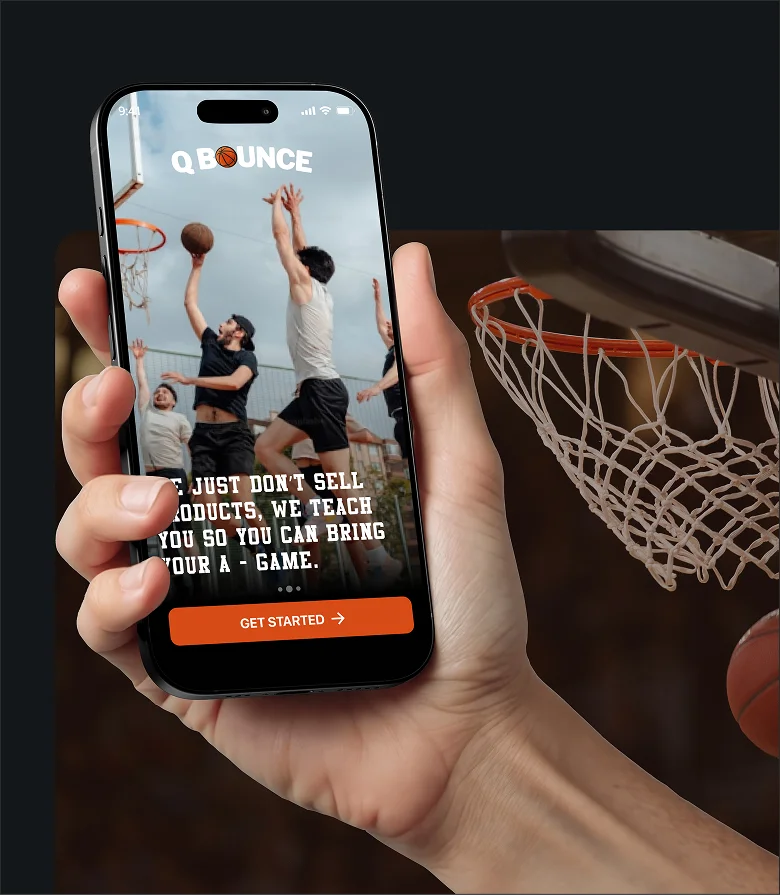
QBounce
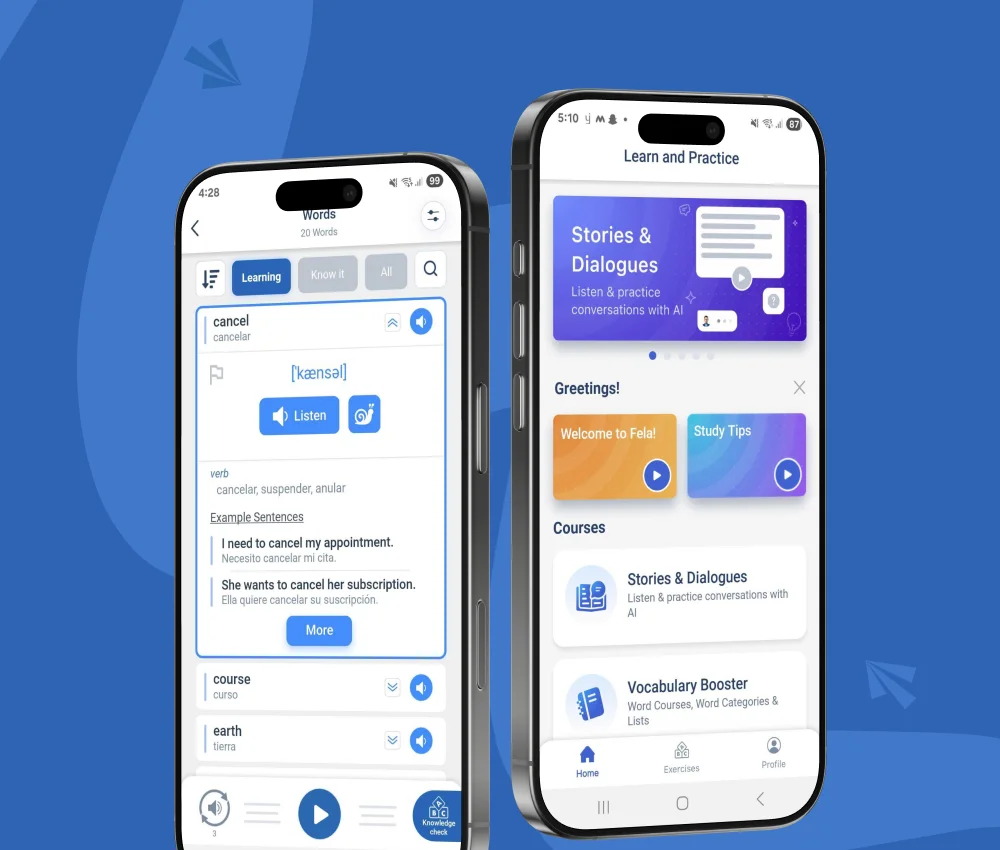
Fela

UI/UX Design at AppMatic Tech: Frequently Asked Questions
Does AppMatic Tech offer UI/UX design as a standalone service, separate from development?


AppMatic Tech offers UI/UX design as both a standalone engagement and as part of a full product build. Standalone design engagements deliver Figma files, design systems, motion files, and Figma Dev Mode handoff documentation to the client's own engineering team, with no dependency on AppMatic Tech continuing as the development partner.
Can AppMatic Tech redesign an existing app without rebuilding it?
AppMatic Tech takes on UI/UX redesign engagements on existing iOS, Android, and web products. The Homecare2go project is one example: AppMatic Tech redesigned the entire Homecare2go interface from scratch while the underlying Swift, Kotlin, and Laravel codebase was retained and extended during the same engagement.
What animation format does AppMatic Tech deliver for mobile apps?
AppMatic Tech delivers micro-animations as Lottie JSON files exported from After Effects for iOS, Android, Flutter, and React Native apps. For interactive state-driven animations, AppMatic Tech uses Rive. All animation files are 60fps-tested on mid-range Android devices before handoff.
Does AppMatic Tech design for web dashboards or only mobile apps?
AppMatic Tech designs UI/UX for both mobile and web. Web design scope at AppMatic Tech covers SaaS dashboards, admin panels, marketing websites, and product landing pages, delivered in Figma with full responsive breakpoint specifications. React is the primary implementation framework for web UI at AppMatic Tech.



Start a UI/UX Design Engagement with AppMatic Tech
All projects begin with a no-cost Discovery and Technical Scoping session. Contact the team at contact@appmatictech.com
Start Your UI/UX Design Project