


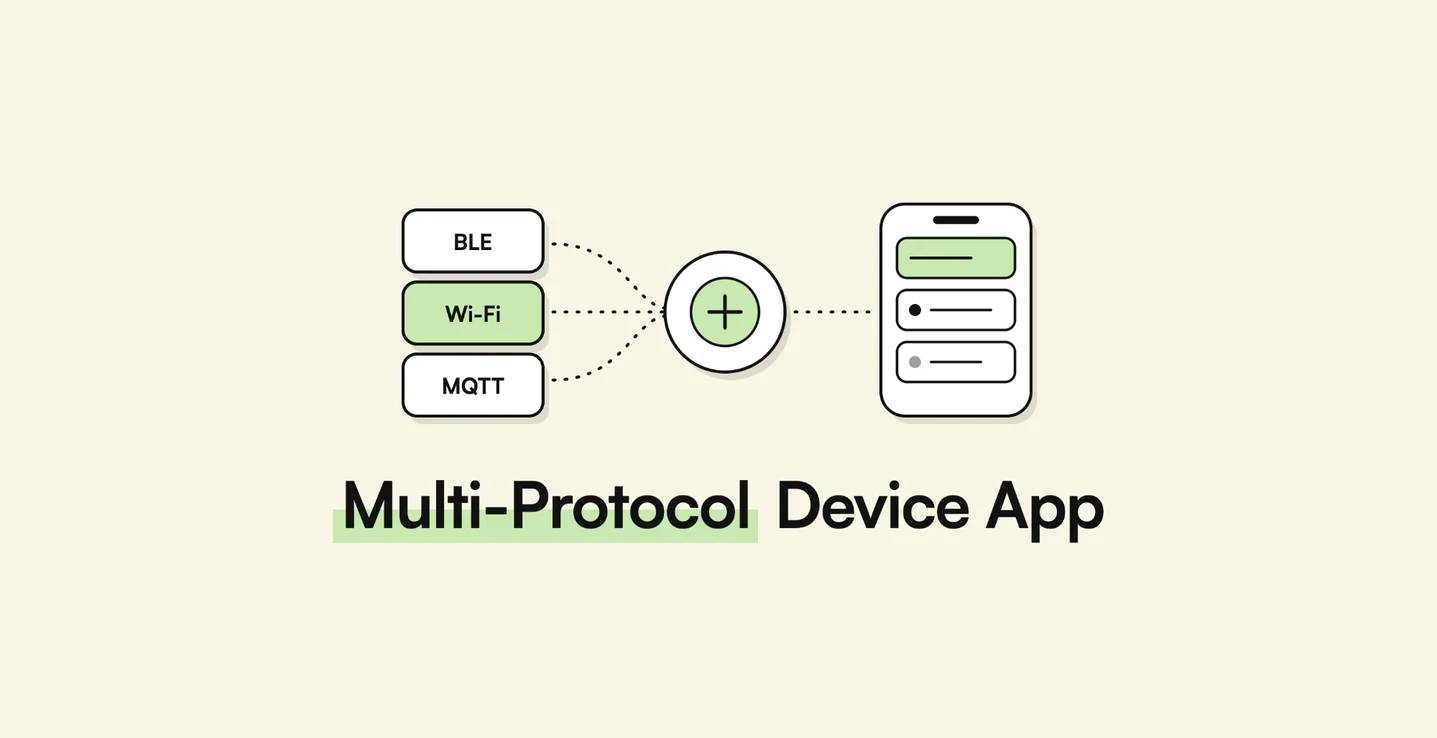
AppMatic Tech designs mobile apps that support several connected devices through one adapter layer, translating each device's Bluetooth Low Energy, Wi-Fi, or MQTT protocol into a single internal data model, in Swift, Kotlin, and Flutter. AppMatic Tech is based in Ahmedabad, India, and has shipped six BLE device integrations across medical, consumer, and vehicle hardware.
A hardware company's first app usually supports one device with one protocol. Then the product line grows. A second model arrives with a different chipset, a second supplier is added to reduce risk, or a hardware revision changes how data is sent. Customers still expect a single app, and the engineering team discovers that the first device's protocol is woven through every screen. This article explains how to structure an app so that many devices, with different protocols, sit behind one consistent product.
The pattern described here is drawn from six separate device integrations AppMatic Tech has shipped, each with its own protocol, rather than from one app that combined them all. The lessons about what must be isolated, and what must be verified, are the same in every one.
Key takeaways
Supporting many devices is an architecture decision made early, or a rewrite made later.
| Point | Detail |
|---|---|
| One adapter per device | Each adapter translates a device's protocol into a single internal data model. |
| The app never sees protocol details | Screens, storage, and sync work from the common model only. |
| Transports differ, the model does not | BLE, Wi-Fi, and MQTT devices can sit side by side behind the same interface. |
| Versions are detected, not assumed | Firmware and hardware revisions are read on connection and handled inside the adapter. |
| Documentation is a hypothesis | Every field is verified against data captured from the real device. |
| Not every error is the app's | Logging raw data is what separates an app bug from a faulty unit. |
Why do companies end up needing one app for many devices?
Almost no hardware company plans for several protocols. They arrive through ordinary business decisions:
- The product line grows. A second model uses a different sensor or chipset, and its data format is not the same as the first.
- A second supplier is added. Sourcing the same type of device from two factories protects supply, but each factory's firmware speaks its own dialect.
- Hardware is revised. A cost-reduced revision changes the data layout or drops a feature, and both versions remain in customers' hands.
- Products are combined. A company acquires or partners with another device maker and wants both products in one app.
In every case the customer's expectation is the same: one app, one account, one experience. The engineering question is how to deliver that without the app becoming a tangle of special cases.
What goes wrong when protocols are handled directly in the app?
When the first device's protocol is written directly into the screens and logic, the second device exposes the problem immediately. The symptoms are consistent:
- Conditional code everywhere. Every screen that shows a reading gains an "if this device, else that device" branch, and each new device multiplies the branches.
- Bugs that cross devices. A fix for one device's connection handling breaks another's, because they share code that was never designed to be shared.
- Features written twice. Charts, alerts, and sync are reimplemented for each device because they were built around one device's raw data format.
- Testing becomes unmanageable. Every change has to be retested against every device, since nothing isolates one device's behaviour from the rest.
The underlying mistake is that the app knows too much about each device. The fix is to make the app know almost nothing.
How does a device adapter layer work?
A device adapter layer puts one component, the adapter, between each device and the rest of the app. The adapter is the only code that understands that device's protocol. Everything above it works with a single, common data model.
| Layer | What it does | What it knows about the device |
|---|---|---|
| Transport | Opens and maintains the connection over BLE, Wi-Fi, or a cloud broker | How to connect, nothing about the data |
| Device adapter | Sends commands and decodes the device's messages | Everything: message formats, units, quirks |
| Common data model | Represents a reading, a status, or an event in one standard form | Nothing: the same shape for every device |
| Capabilities | Declares what each device can do, such as which readings or commands it supports | Only a list of features |
| App features | Screens, charts, alerts, storage, and sync | Nothing beyond the common model and capabilities |
In practice it works like this:
- Identify the device when it is discovered, from its advertised name, identifiers, or model number, and select the matching adapter.
- Let the adapter handle the conversation, including pairing, commands, and the device's own message format.
- Convert every message into the common model, for example a weight reading in grams with a timestamp, regardless of how the device encoded it.
- Expose capabilities, so the app shows a battery indicator or a calibration screen only for devices that support them.
- Build features once on the common model, so a new device inherits charts, history, and sync without new feature code.
Adding a device then means writing one new adapter and its tests. Nothing else in the app changes.
Pro tip: Design the common data model from what the product needs to show and store, not from what the first device happens to send. A model shaped by one device's raw format will need reshaping the moment the second device arrives.
How are BLE, Wi-Fi, and MQTT devices handled side by side?
Different devices often use different ways of connecting, not just different data formats. The adapter layer keeps that difference below the surface.
| Connection | Typical devices | What the adapter handles |
|---|---|---|
| Bluetooth Low Energy | Wearables, scales, medical devices, tags | Pairing, the device's GATT services, queued reads and writes, reconnection |
| Wi-Fi | Mains-powered, fixed devices with larger data volumes | Provisioning onto the network, then local or cloud API calls |
| MQTT through a cloud broker | Devices reporting from anywhere, such as trackers and fleets | Subscribing to the device's topics and decoding its messages |
Some products use two connections for one device. AppMatic Tech has implemented that dual-radio pattern for asset tracking hardware, using Bluetooth Low Energy for setup and nearby interaction and MQTT for location reporting from a distance. From the app's point of view, both paths feed the same device record through the same adapter.
The rules that keep each connection reliable, such as queuing Bluetooth operations and treating disconnection as normal, are covered in BLE vs Wi-Fi vs MQTT and BLE mobile app development.
How should an app handle firmware and hardware revisions?
Two units of the "same" device can behave differently. A revised board, a new firmware build, or a second production batch can change a data field or remove a command. An app that assumes every unit is identical will misread some of them.
AppMatic Tech handles revisions with three habits:
- Read the version on connection. The app reads the device's model and firmware version and records it with every session.
- Keep version differences inside the adapter. If firmware 2 sends a reading in a different layout from firmware 1, the adapter handles both and the rest of the app sees no difference.
- Test every variant in circulation. On the EYVA wellness app, Bluetooth connection reliability was tested across multiple device variants and operating system versions before release.
Visibility matters as much as handling. For Trackwel, the admin panel tracks product and firmware versions alongside pairing analytics, so the team can see which versions are in the field when a support question arrives.
What if the supplier's documentation is incomplete, wrong, or in another language?
This is the most common obstacle in device integration, and it is sharper when hardware is sourced from overseas manufacturers. The protocol document may be missing fields, describe an older firmware, or be written in a language the engineering team does not read.
The solution is the same in all three cases: treat the document as a hypothesis and verify it against the device.
- Read or translate the document to get a first understanding of the services, commands, and data fields. A machine translation is good enough for this step, because nothing in it will be trusted yet.
- Capture what the device actually sends. Log every message in raw form while the device is used in known conditions, such as a scale with a reference weight on it.
- Verify field by field. Compare the captured data with the document and with the device's own display: which bytes hold the value, in what order, in which units, with what scaling, and what each status code means.
- Write down what was confirmed. The verified behaviour becomes the team's own specification, and it replaces the supplier's document as the source of truth.
- Turn the captures into tests. Recorded messages are replayed against the adapter, so a future change cannot silently break decoding.
Translation errors, outdated sections, and undocumented behaviour all surface at step three, which is why the language of the original document matters far less than the verification. AppMatic Tech follows the same approach for proprietary medical devices, logging every notification in raw form and validating parsed values against device-reported reference measurements, as described in remote patient monitoring app architecture.
The opposite situation proves the same point. AppMatic Tech built the SENS temperature scanner's Bluetooth integration without physical access to the device, which was possible only because the command set was fully specified and frozen; the integration was validated against a simulated device and then confirmed on real hardware. A complete, reliable specification removes the risk. Where one does not exist, captured data has to stand in for it.
Pro tip: Ask the supplier for a unit and a written protocol document before quoting a timeline. If the document cannot be verified against a real device in the first week, plan a short discovery phase to produce a confirmed specification before any app screens are built.
How do you tell an app bug from a device fault?
When a reading is wrong or a connection drops, the app gets blamed first. Sometimes the app is at fault. Sometimes the unit is.
Trackwel made this concrete. The kitchen scale was imported from China, and during development some connection errors looked like app-side faults. AppMatic Tech traced them to variance between individual hardware units, built a hardware validation protocol that tested scale units in batches, and produced defect-rate data for the Trackwel team before launch. The Flutter Bluetooth layer was validated as error-free, and the app shipped with zero app-side BLE errors.
Three practices make that distinction possible:
- Log raw data alongside decoded values, so a wrong reading can be traced to either a decoding error or bad data from the device.
- Test more than one unit. A single sample hides unit-to-unit variance; a batch reveals it.
- Record the device's version with every issue, so problems that cluster on one firmware or hardware revision become visible.
For a hardware company, that evidence is valuable beyond the app. It turns a vague "the app is unreliable" complaint into a specific finding about a batch, a firmware build, or a supplier.
What does a multi-device app cost?
AppMatic Tech prices device apps at a fixed scope. The published tiers for a single device are the starting point:
| Engagement | Scope | Timeline | Investment |
|---|---|---|---|
| BLE companion MVP | Pairing, sensor reads, core screens, one platform | 4 to 6 weeks | From $15,000 |
| Dual-platform device app | iOS and Android, read and write commands, backend sync | 8 to 12 weeks | $30,000 to $60,000 |
| Connected device platform | Apps, backend, real-time telemetry, admin dashboard, analytics | 12 to 20 weeks | $60,000 to $100,000 |
Each additional device is scoped as an adapter on top of whichever tier fits the product. Two factors decide how much that adapter costs: whether the app already has an adapter layer, and how complete and verifiable the new device's documentation is. A documented, stable protocol is an incremental addition. An undocumented one needs the discovery work described above before it can be priced reliably.
How AppMatic Tech approaches multi-device apps
AppMatic Tech has shipped 330+ products since 2017 with an 83% client retention rate and a 5.0 Clutch rating. Its device work spans six Bluetooth Low Energy integrations, each with a different protocol: the Capmedic asthma controller deployed at Northwestern Medicine, the Ebike companion app with vehicle control and battery monitoring, Trackwel, EYVA, the SENS temperature scanner, and the BLE Tag Tracker.
On every device engagement, AppMatic Tech confirms the protocol against real hardware, or against a frozen and complete specification, before building screens, isolates the device's protocol in its own layer, and logs raw device data so faults can be attributed correctly. For products that expect a second device or supplier, the adapter layer is built from the start, because adding it later means reworking every feature that touched the first device's data.
For related guidance, see wearable companion app development, how to scale an IoT platform from 100 to 100,000 devices, AppMatic Tech's IoT application development service, and the wearable and IoT practice.
Contact AppMatic Tech at contact@appmatictech.com to scope an app for more than one device, or to add a device to an existing app.
Sources
| Claim used in this article | Source |
|---|---|
| Trackwel: scale imported from China, errors traced to hardware unit variance, batch validation, zero app-side BLE errors, firmware version tracking | Trackwel case study |
| EYVA: connection reliability tested across multiple device variants | EYVA case study |
| SENS integration built against a frozen, fully specified command set without device access | BLE mobile app development: cost and timeline |
| Raw logging and validation against device-reported reference measurements | Remote patient monitoring app architecture |
| Dual-radio BLE and MQTT pattern for asset tracking hardware | BLE vs Wi-Fi vs MQTT |
| Device app pricing tiers | BLE mobile app development: cost and timeline |
Frequently Asked Questions
- Can one mobile app support devices that use different protocols?
- Yes. The app needs a device adapter layer: one adapter per device type translates that device's protocol, whether Bluetooth Low Energy, Wi-Fi, or MQTT, into a single internal data model that the rest of the app uses. Screens, storage, and sync never see protocol details, so adding a new device means writing one new adapter instead of changing the whole app. AppMatic Tech designs multi-device apps this way in Swift, Kotlin, and Flutter.
- What is a device abstraction layer in a mobile app?
- A device abstraction layer is the part of an app that hides the differences between devices. Each supported device gets an adapter that handles its connection, commands, and data format, and outputs readings in one standard internal format. AppMatic Tech uses this layer so that features such as charts, alerts, and sync are written once and work for every device the app supports.
- How do you integrate a device when the documentation is incomplete or in another language?
- Treat the documentation as a hypothesis, not a specification. AppMatic Tech translates or reads the supplier's document, then captures the real data the device sends and checks every field against it: byte order, units, scaling, and status codes. Only values confirmed against captured data and the device's own display go into the app. The language of the document matters far less than this verification step.
- How should an app handle different firmware and hardware versions?
- The app should read the device's model and firmware version on connection and enable features based on declared capabilities rather than assumptions. AppMatic Tech keeps version-specific behaviour inside the adapter, tests against every hardware variant in circulation, and tracks firmware versions in the admin panel so support teams can see which devices run which version.
- What does it cost to support an additional device in an existing app?
- It depends on how the first integration was built and how well the new device is documented. In an app with an adapter layer, a second device with a documented, stable protocol is an incremental addition. Without that layer, or with an undocumented protocol, the work approaches a new integration. AppMatic Tech prices device apps from $15,000 for a single-platform companion MVP and $30,000 to $60,000 for a dual-platform device app.