

Future Education Dashboard · Admin and Teacher UI/UX: 100+ Screens, Data Visualization, AI Insights
AppMatic Tech designed the admin and teacher dashboard for Future Education's institutional management platform from scratch, covering role-specific navigation, data visualization, AI prediction insights, and a sequential course creation flow. Future Education is an education technology company based in Bengaluru, India. The redesign delivered 100+ screens and 3x faster feature discovery.
Project Overview
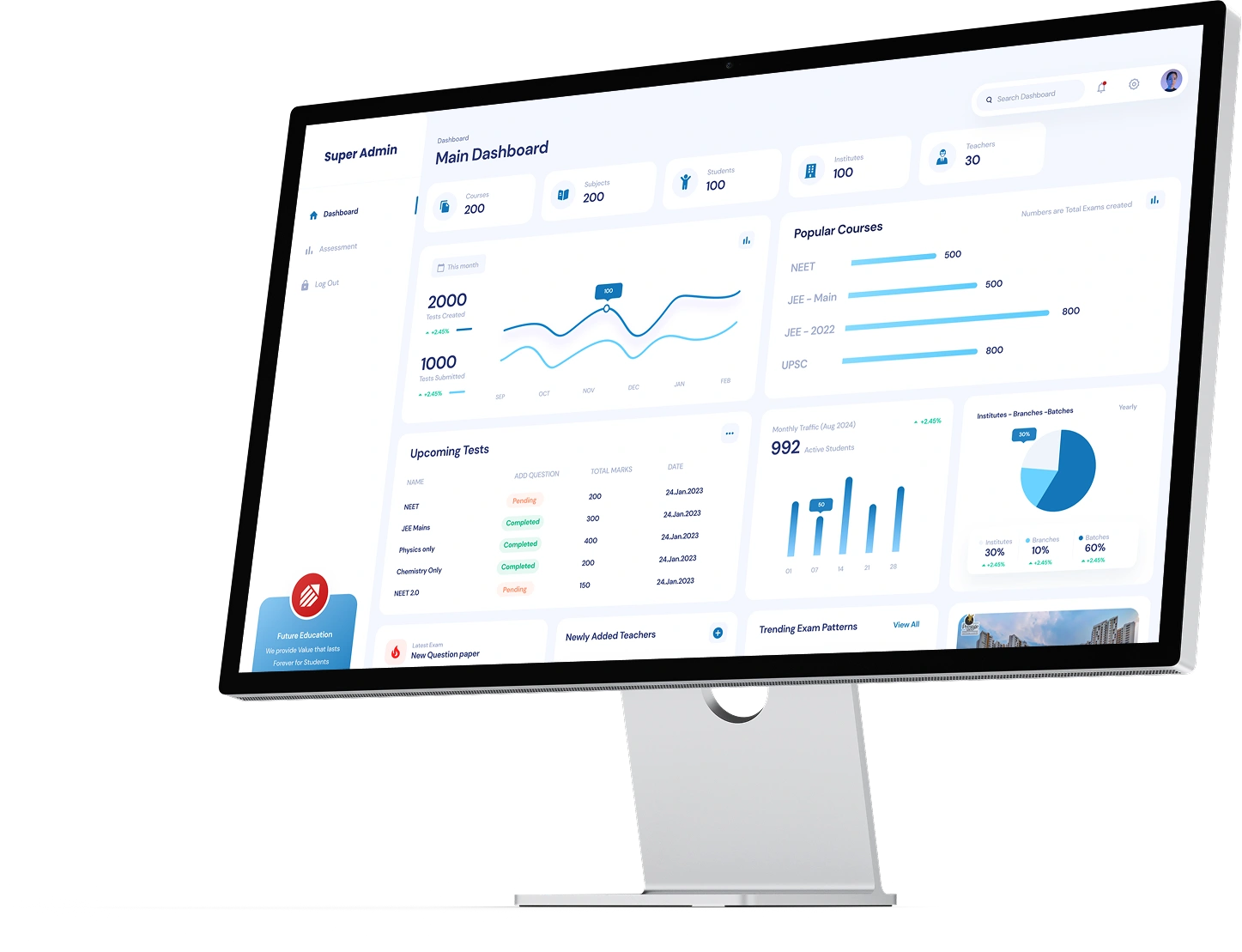
AppMatic Tech designed the complete admin and teacher dashboard for Future Education's institutional management platform from scratch. Future Education is an education technology company based in Bengaluru, India. The dashboard serves institute administrators, super admins managing multiple branches, and teachers who create courses, build exams, and track student performance. The previous version had no structured dashboard. Administrative and teaching operations were handled through a legacy web interface that mixed operational controls with content management in a flat navigation structure with no data visualization.
- Client
- Future Education, Bengaluru, India
- Category
- UI/UX Design
- Platform
- Web (desktop + tablet responsive)
- Screens
- 100+
- Design Tool
- Figma
- Companion Project
- Future Education App (Student + Parent)
The Problem AppMatic Tech Solved
Future Education's legacy interface had accumulated administrative and teaching functions over multiple development cycles without separating them into role-appropriate workflows. Institute admins who needed to add a branch, review student rankings, or check platform traffic navigated through the same interface teachers used to create courses. Student performance data, AI prediction scores, and institutional analytics existed in the backend but were presented as flat tables and text lists with no visual pattern recognition. Teachers creating a course with curriculum videos, exam papers, and quizzes navigated between multiple disconnected screens, and the process took 3x longer than necessary because the workflow was not sequential. Super admins managing multiple institutes had no unified view and had to switch between separate branch interfaces to compare performance data.
Admin Dashboard Capabilities
- Institute and Branch Management
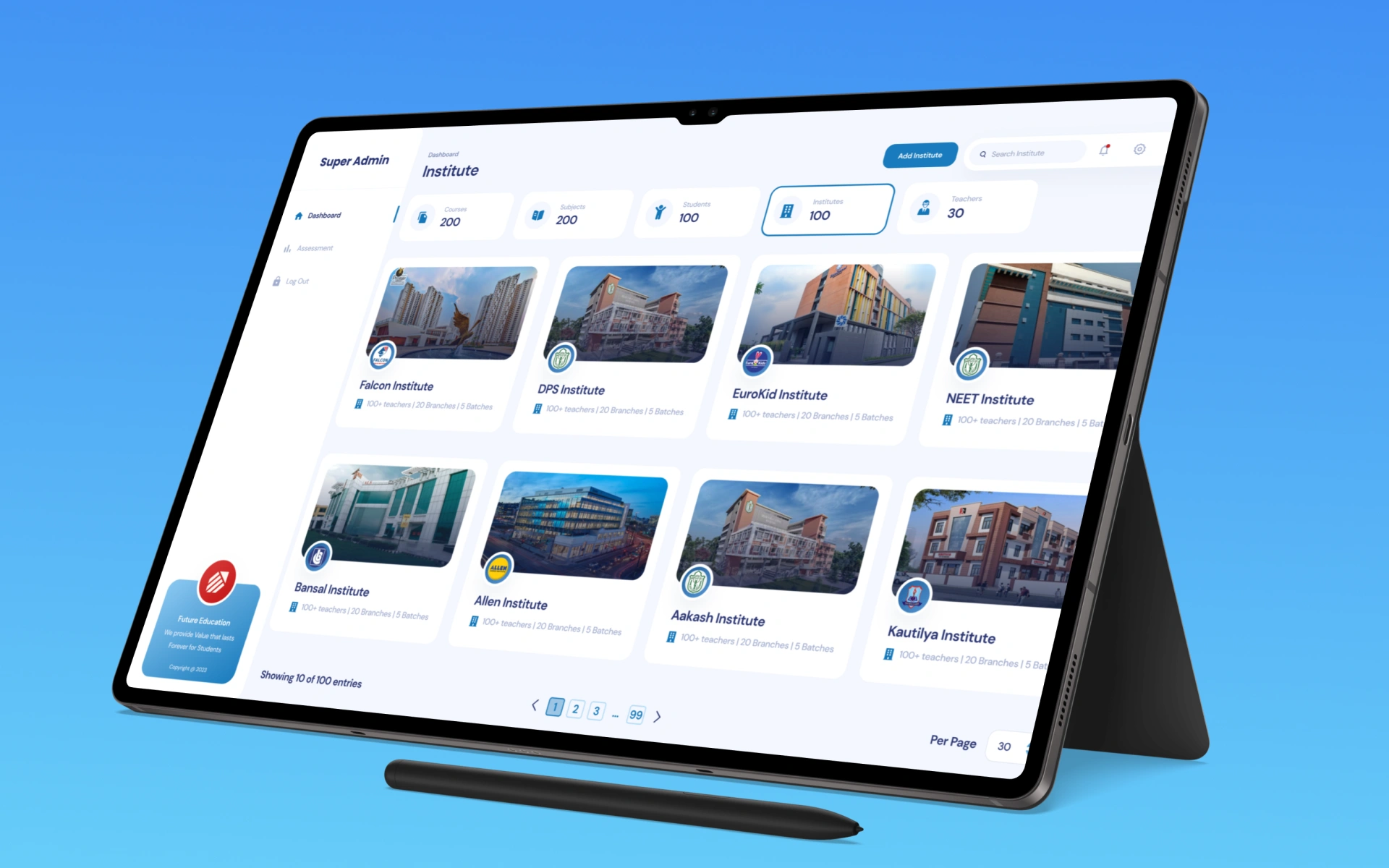
- Add and configure institutes, manage multiple branches from a unified interface, set branch-level configurations and operational settings. Super admins see all branches in a single view with comparative analytics.
- Student and Teacher Management
- Add, manage, and organize students and teachers across branches. View individual profiles, assignment history, and performance trajectories. Role-based access ensures teachers see their own class data while admins see institution-wide records.
- Rankings, Graphs, and Performance Analytics
- Visual ranking charts, branch comparison graphs, and trend lines for institutional KPIs. Student performance data is presented as visual patterns rather than flat tables, enabling admins to identify at-risk students and high-performing branches at a glance.
- AI Prediction Scores and Forecasts
- AI-generated prediction scores are presented as contextual cards within the dashboard, showing performance forecasts for individual students and aggregate predictions for classes and branches. The AI insights appear at the decision point, not in a separate analytics section.
- Traffic and Usage Analytics
- Platform traffic data showing feature usage, session duration, and active user counts by branch, role, and time period. Admins can identify which features are under-utilized and which are generating the highest engagement.
Teacher Dashboard Capabilities
- Course Creation and Curriculum Management
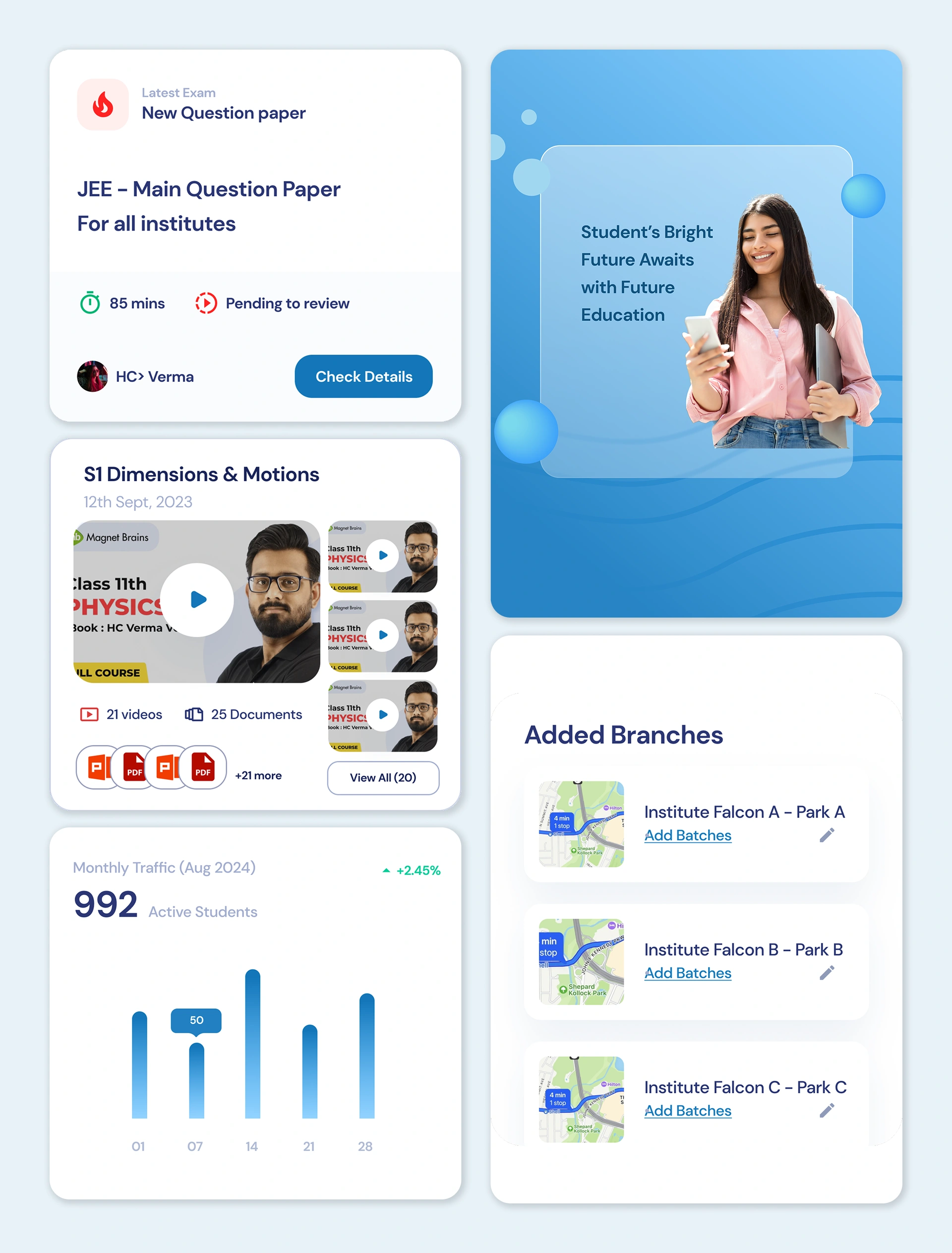
- Sequential course creation flow: define course structure, attach curriculum videos, organize learning materials by module. The flow is forward-moving with step indicators showing progress through the creation process.
- Exam Paper and Quiz Builder
- Create exam papers with configurable question types, set grading rubrics, and build quizzes with automatic scoring. The exam builder is integrated into the course creation flow so exams are attached to courses during creation rather than as a separate workflow.
- Student Submission Review and Grading
- Review student submissions with inline feedback tools, assign grades, and provide structured feedback. The review interface shows the submission alongside the grading rubric and the student's historical performance for context.
- Class Performance Analytics
- Class-level performance dashboards showing assignment completion rates, exam score distributions, and individual student progress against course milestones. Teachers identify students who are falling behind before the gap becomes unrecoverable.
- Quick Decision-Making Interface
- The teacher home screen surfaces the actions that need attention now: pending submissions to review, upcoming exam deadlines, and students who have not engaged with course material in the last 7 days. The interface is designed for quick daily decisions rather than deep administrative work.
Results
- Screens Designed
- 100+
- Time-to-Feature
- 3x Faster
- User Types
- Admin + Teacher
- NPS
- Improved
The 3x reduction in time-to-feature came from two design decisions. For teachers, the sequential course creation flow eliminated the back-navigation and context-switching that the legacy interface required. For admins, the role-specific dashboard with visual analytics surfaced institutional data in patterns rather than flat tables, which meant admins could identify and act on performance issues without exporting data to spreadsheets. NPS improved measurably after the redesigned dashboard was implemented by Future Education's development team.
"The dashboard AppMatic Tech designed changed how our admin team operates. Before the redesign, reviewing student performance across branches meant logging into each branch separately and exporting data to spreadsheets. Now it is a single view with drill-down. The course creation flow for teachers went from a 20-minute process to under 7 minutes. That is the kind of time saving that compounds across every teacher, every day."
CTOFuture Education

Typography
Color Palette
Admin Flow
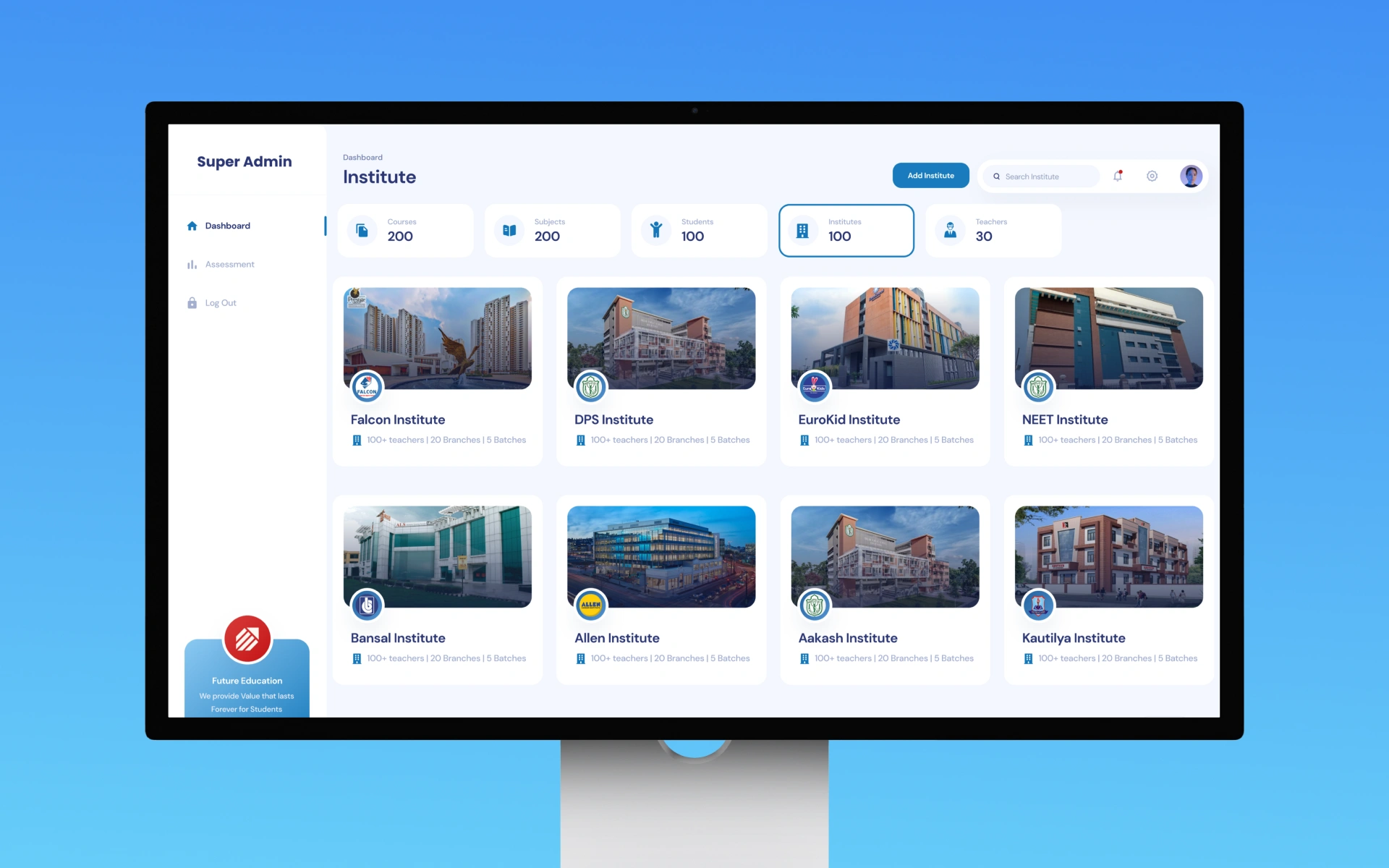
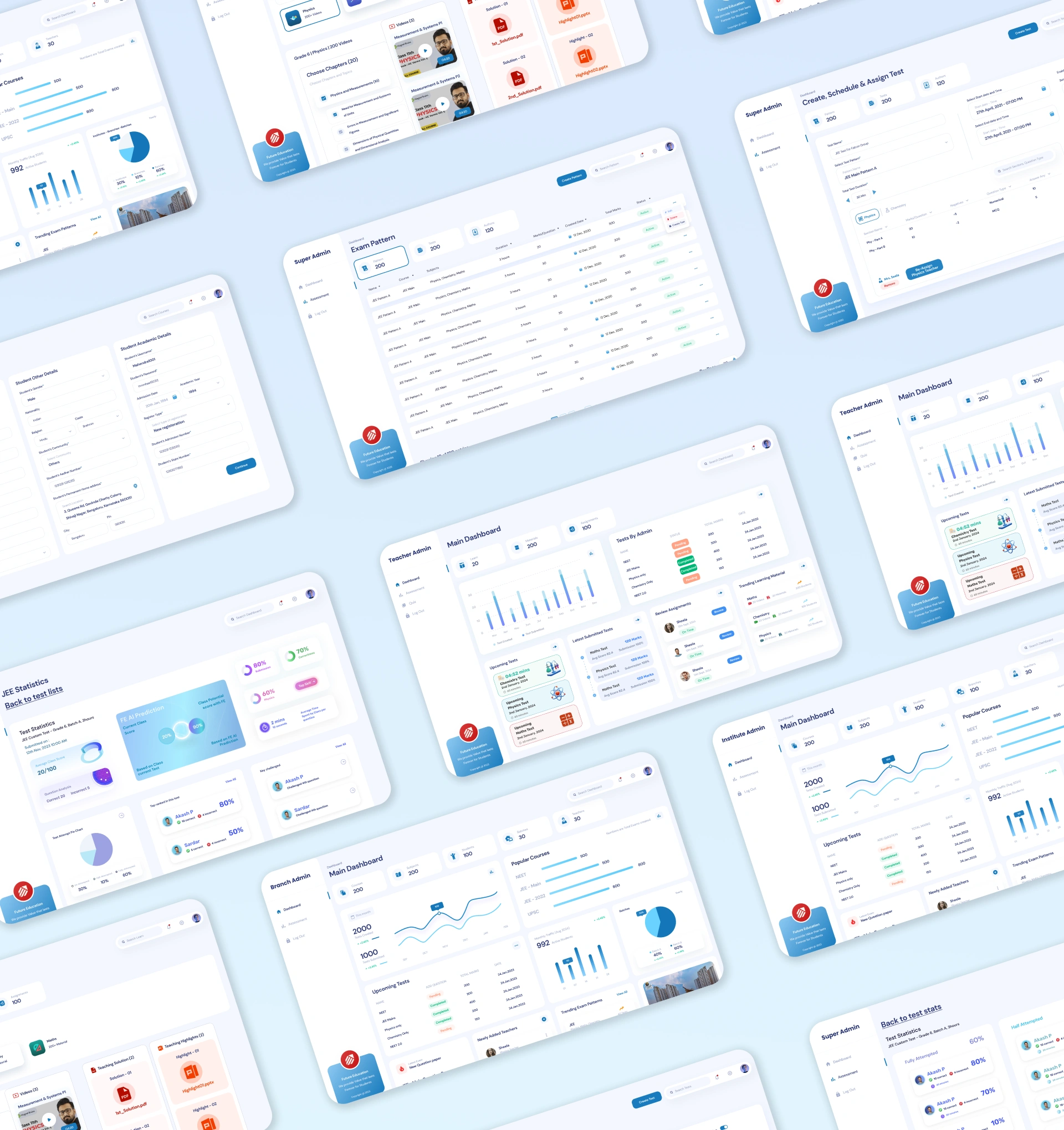
AppMatic Tech designed the admin experience as a layered hierarchy where Teacher Admin, Branch Admin, Institute Admin, and Super Admin each open to a Main Dashboard scaled to their level of responsibility. Every tier shares the same dashboard grammar, so moving up or down the hierarchy never means learning a new interface.
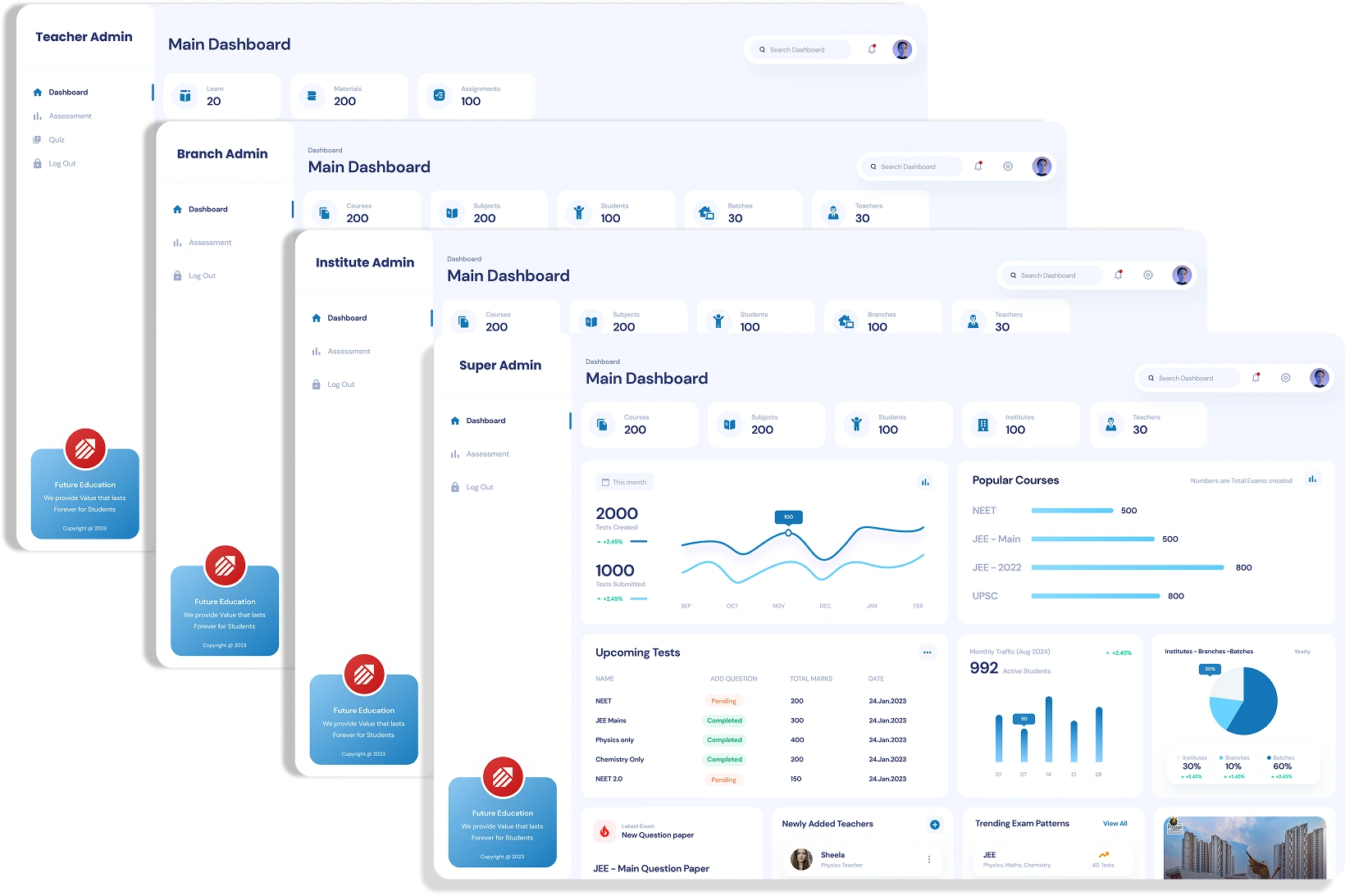
AppMatic Tech mapped each admin tier to a distinct scope of data while keeping the layout consistent. The Teacher Admin dashboard focuses on a single class group, the Branch Admin dashboard rolls up performance across a branch, the Institute Admin dashboard aggregates branches, and the Super Admin dashboard presents institution-wide KPIs with charts, upcoming tests, popular courses, and trending exam patterns in one view.
Because every tier reuses the same KPI cards, charts, and navigation pattern, an administrator promoted to a wider scope reads the higher-level dashboard immediately. The shared structure also lets Future Education's development team build each role's view from one component set rather than designing four separate dashboards from the ground up.
How AppMatic Tech Redesigned the Dashboard
- Role-Specific Dashboard Separation
AppMatic Tech designed separate dashboard interfaces for admins and teachers rather than a shared interface with permission-based visibility. The admin home screen surfaces institutional KPIs: student counts, branch performance, traffic patterns, and AI prediction summaries. The teacher home screen surfaces teaching workflow shortcuts: active courses, pending submissions, upcoming exams, and class performance snapshots. Each role sees what it needs within one click of the dashboard, not what the other role needs.
Step 1
- Data Visualization for Institutional Intelligence
AppMatic Tech designed the admin dashboard around visual analytics rather than data tables. Student ranking charts show distribution patterns at a glance. Branch comparison graphs reveal which locations are performing above or below institutional averages. Traffic heatmaps show platform usage by time and feature. AI prediction score distributions highlight students who may need intervention before exam periods. The admin dashboard is a decision-making tool that surfaces patterns, not a data entry form that lists records.
Step 2 - Sequential Course Creation Flow
AppMatic Tech redesigned the teacher course creation workflow as a guided sequential flow: course setup, curriculum structure, video attachment, exam paper creation, quiz configuration, and review. Each step feeds into the next without requiring back-navigation. Teachers complete the full course creation in a single forward-moving flow. The 3x time-to-feature improvement for teachers comes primarily from this redesign, which eliminated the constant context-switching between disconnected screens that the legacy interface required.
Step 3 - Unified Super Admin View with Branch Drill-Down
AppMatic Tech designed a super admin layer that provides cross-branch visibility without switching between institute contexts. Branch comparison dashboards, aggregate student analytics, and institution-wide traffic data are accessible from a single interface. Each metric supports drill-down from the aggregate view to individual branch data to specific student records, so the super admin can move from a cross-institutional overview to a specific student performance issue in three clicks.
Step 4
What AppMatic Tech Delivered
- 100+ Dashboard Screens
- Complete UI designs for admin, super admin, and teacher dashboards. Web-only, responsive across desktop and tablet. Each role has dedicated navigation, home screen, and workflow-specific interfaces.
- Data Visualization Component Library
- Figma components for ranking charts, branch comparison graphs, trend lines, heatmaps, AI prediction cards, score distributions, and stat summary cards. The visualization library ensures every future analytics screen uses consistent chart styles and interaction patterns.
- Figma Design System (Dashboard Extension)
- An extension of the Future Education design system covering dashboard-specific components: data tables with sorting and filtering, form patterns for course and exam creation, card layouts for AI insights, and responsive grid layouts for analytics views.
- Interactive Prototypes
- Clickable Figma prototypes for the admin dashboard overview, the teacher course creation flow, and the super admin branch comparison view. Used for stakeholder validation and developer reference.
- Design Handoff Documentation
- Component specifications, spacing values, responsive breakpoints, chart configuration parameters, and interaction state documentation. Delivered alongside the Figma files for implementation without ambiguity.
Companion Project
Also for Future Education
Future Education App · Student and Parent UI/UX Redesign
AppMatic Tech also designed the student and parent-facing mobile and web application for Future Education: 100+ screens across iOS, Android, and web for 4 user types. The app case study covers the role-specific navigation and mobile-first design approach.
Read the app case studyFE Design Stack
- Figma
- UI design, components, and developer handoff
- Real-Device Testing
- Layout validation on physical iOS and Android handsets
- Prototyping
- Clickable flows for stakeholder validation
- Icon Design
- Custom icon set drawn for the design system
- Typography Selection
- DM Sans and Rubik type scales tuned for screen reading

Related AppMatic Tech Services
This dashboard engagement was UI/UX design delivered to Future Education's development team. Explore the AppMatic Tech services that extend a design engagement into a shipped product.


Explore More Craft
Explore More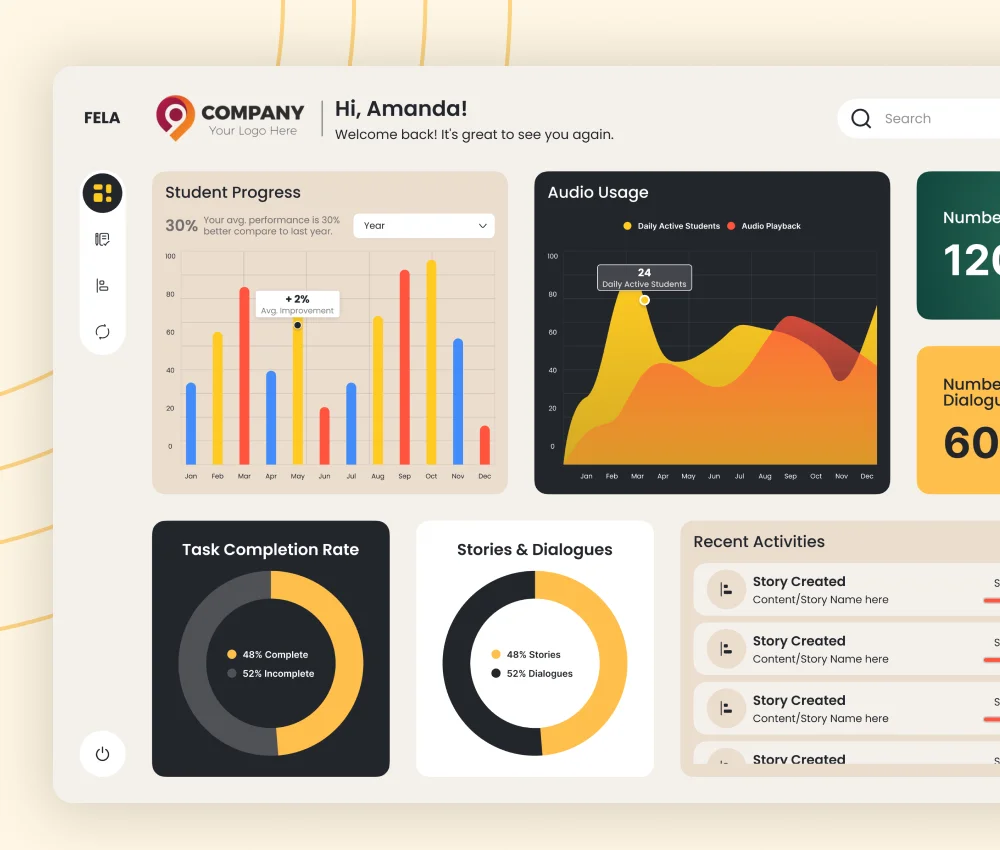
Fela Dashboard
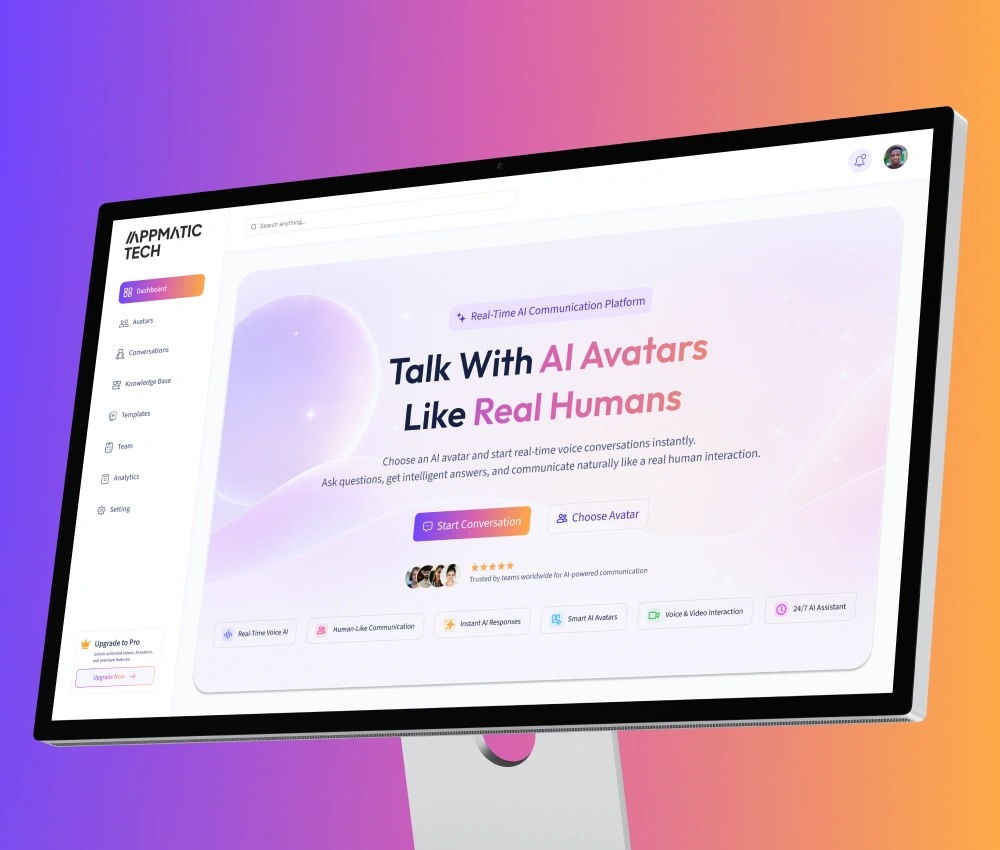
AI Avatar Dashboard
Start a Dashboard Design Engagement with AppMatic Tech
All projects begin with a no-cost Discovery session. Contact the team at contact@appmatictech.com.
Scope Your Project