

Future Education · Learning Platform UI/UX Redesign: 100+ Screens, 3x Faster Feature Discovery
AppMatic Tech designed the complete UI/UX for Future Education's learning platform from scratch, covering web and mobile across four user types: students, teachers, administrators, and parents. Future Education is an education technology company based in Bengaluru, India. The role-specific redesign delivered 100+ screens and 3x faster feature discovery.
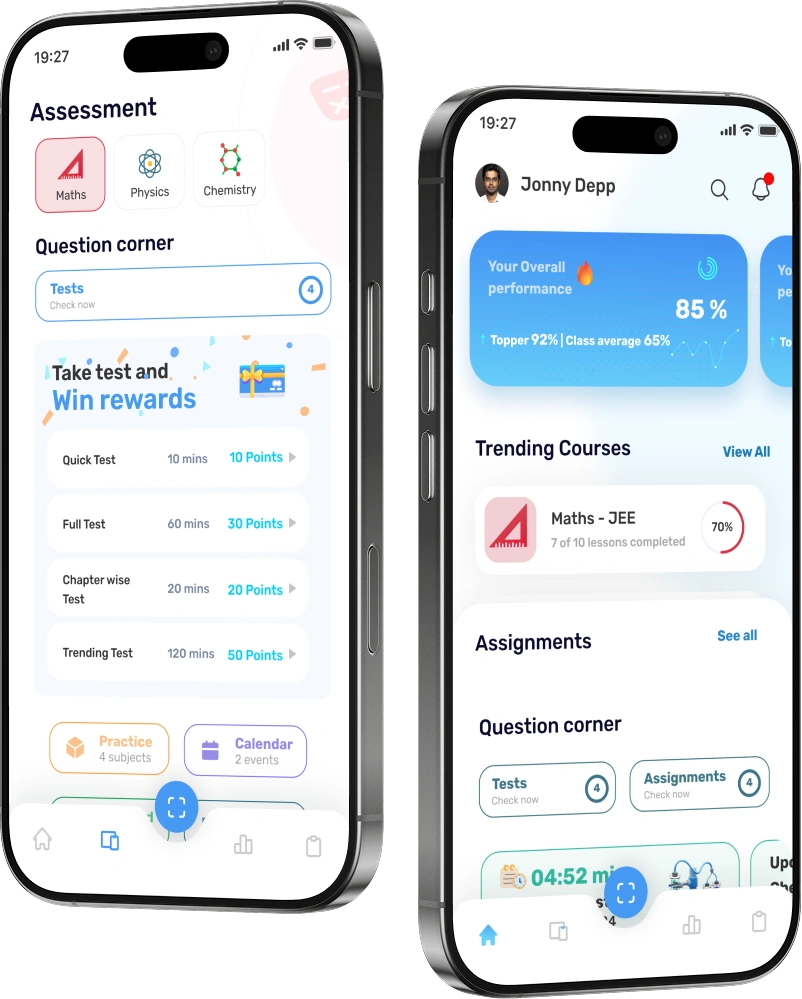
Project Overview
AppMatic Tech designed the complete UI/UX for Future Education's learning platform from scratch, covering both the web application and the mobile application across four user types: students, teachers, administrators, and parents. Future Education is an education technology company based in Bengaluru, India, building a learning platform for schools and institutions. The previous version of the platform had a legacy web interface with no mobile application and poor feature discovery that caused users to rely on external tools for tasks the platform already supported.
- Client
- Future Education, Bengaluru, India
- Category
- UI/UX Design
- Platform
- Web + Mobile (iOS + Android)
- Screens
- 100+
- Design Tool
- Figma
- Engagement
- Ground-up redesign
The Problem AppMatic Tech Solved
Future Education's legacy platform had accumulated features over multiple development cycles without a coherent information architecture. Users could not find capabilities that already existed in the product. Teachers reported using external tools for tasks the platform already supported because they did not know the features were there. The platform had no mobile application. Students and parents accessed the web interface on mobile devices through a browser, navigating a desktop layout on a phone screen. Four user types, students, teachers, administrators, and parents, all shared the same navigation structure. An administrator managing 500 users and a student checking a grade saw the same sidebar, the same menu depth, and the same information hierarchy.
AppMatic Tech was brought in to redesign the platform from scratch. AppMatic Tech worked directly with Future Education's CTO and Director throughout the design process, from user research through final Figma handoff. The engagement covered information architecture, role-specific navigation design, a full Figma design system, and responsive layouts across web and mobile for all four user types.
Learning Platforms: Competitive Analysis
AppMatic Tech analysed the learning platform landscape during discovery to identify the UX gaps a role-specific, mobile-first design could address for Future Education.
| Platform | Unique Value Proposition | Advantage | Disadvantage |
|---|---|---|---|
| Google Classroom | Free learning management system for schools. | Zero cost and deep Google Workspace integration. | Minimal customisation, no role-specific UX for administrators or parents, and limited analytics. |
| Canvas (Instructure) | Enterprise learning management system. | Strong content delivery and deep LTI integrations. | Complex administrator UX, expensive licensing, and a mobile experience that lags behind web. |
| Teachmint | India-focused classroom platform. | Affordable for Indian schools with strong mobile adoption. | Limited to classroom workflows with less mature administrator and parent UX. |
| Custom Legacy LMS | Future Education's own prior system. | Existing user base and institutional buy-in. | Poor feature discovery, no mobile application, and no role-specific navigation. |
What AppMatic Tech Delivered
AppMatic Tech designed the full learning platform from scratch: 100+ screens, a Figma design system, role-specific navigation, and responsive layouts across web and mobile for all four user types. Every deliverable below was handed off to Future Education's development team for implementation.
- 100+ Screens Across Web and Mobile
- Complete UI designs for students, teachers, administrators, and parents across web (desktop and tablet) and mobile (iOS and Android). Each user type has a dedicated navigation structure, dashboard, and task-optimised flows.
- Figma Design System
- A reusable component library with defined typography, a colour system, spacing tokens, and role-specific accent colours. The design system enables Future Education's development team to build new screens that are visually consistent with the existing 100+ screen set without requiring design input on every new page.
- Interactive Prototypes
- Clickable Figma prototypes for the key user flows across all four user types, used for stakeholder validation before development begins and for developer reference during implementation.
- Design Handoff Documentation
- Complete handoff specs covering component dimensions, spacing values, responsive breakpoints, interaction states, and typography hierarchy. Delivered alongside the Figma files so the development team can implement without ambiguity.
Results
- Screens Designed
- 100+
- Time-to-Feature
- 3x Faster
- User Types Served
- 4
- NPS
- Improved
The 3x reduction in time-to-feature came from the information architecture restructuring. Features that previously required 4 to 6 navigation steps in the legacy interface are reachable in 1 to 2 steps in the redesigned platform for the user type that accesses them most frequently. Feature discovery improved because the role-specific navigation surfaces the capabilities each user type actually needs rather than presenting every feature to every user. NPS improved measurably after the redesigned platform was implemented by Future Education's development team.
"AppMatic Tech understood that our platform did not have a feature problem. It had a discovery problem. The features existed. Users could not find them. The role-specific navigation they designed changed how every user type interacts with the product. Teachers stopped using external tools for tasks our platform already supported, because they could finally see those tasks in their own dashboard."
CTOFuture Education

The Student Learning Experience
AppMatic Tech mapped the student journey into three core moments: learning a concept, testing understanding, and seeing measurable progress. The interface design makes each moment a distinct, focused screen so a student always knows whether they are studying, being assessed, or reviewing results.

Video Lessons and Self-Paced Learning
AppMatic Tech designed the learning view around uninterrupted study. Video lessons, reading material, and supporting notes sit in a single scroll with the player fixed in view, so a student moves between watching and reading without losing their place. The layout keeps controls minimal during playback to hold attention on the lesson rather than the interface.
Interactive Quizzes and Assessment
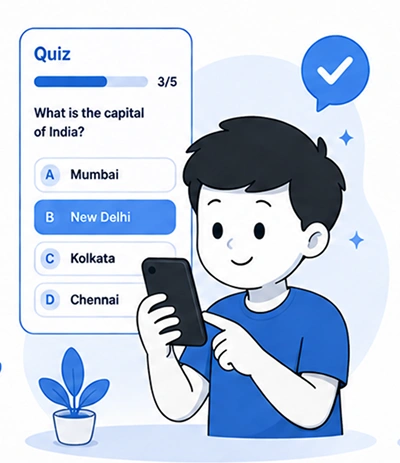
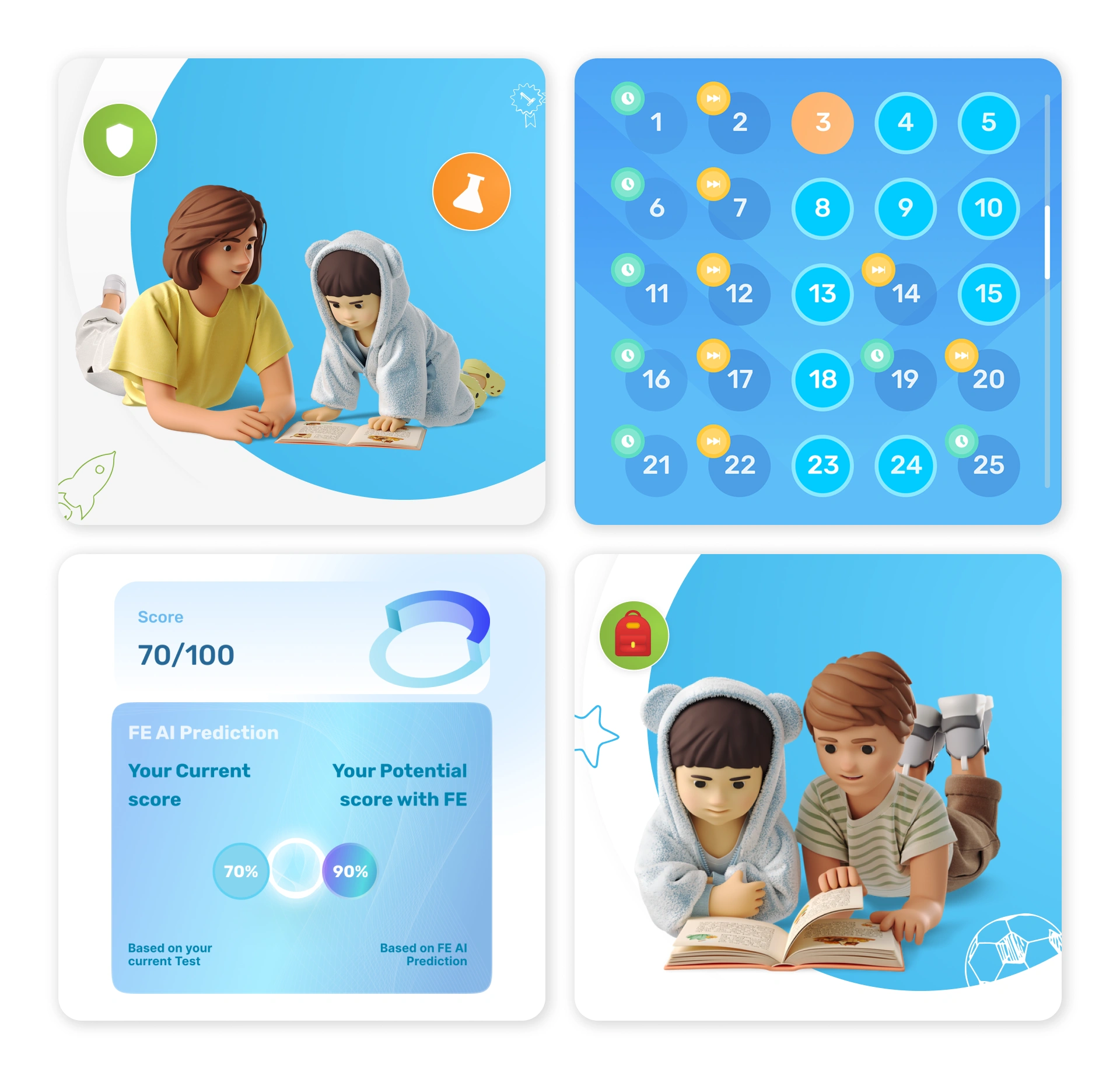
The assessment view turns testing into a clear, low-friction flow. AppMatic Tech designed a single-question focus with a visible progress indicator, large tap targets for each answer, and immediate visual confirmation on selection. The student always sees how many questions remain, which reduces the uncertainty that causes test abandonment on mobile.

Progress and Results Tracking
The results view closes the loop. AppMatic Tech designed a score summary that leads with the headline result, then breaks performance into correct answers, time taken, and accuracy. Surfacing these metrics immediately after a test gives students a concrete reason to return, and gives parents and teachers the same progress signal through their own role-specific views.
Typography
Color Palette
Mobile Screens
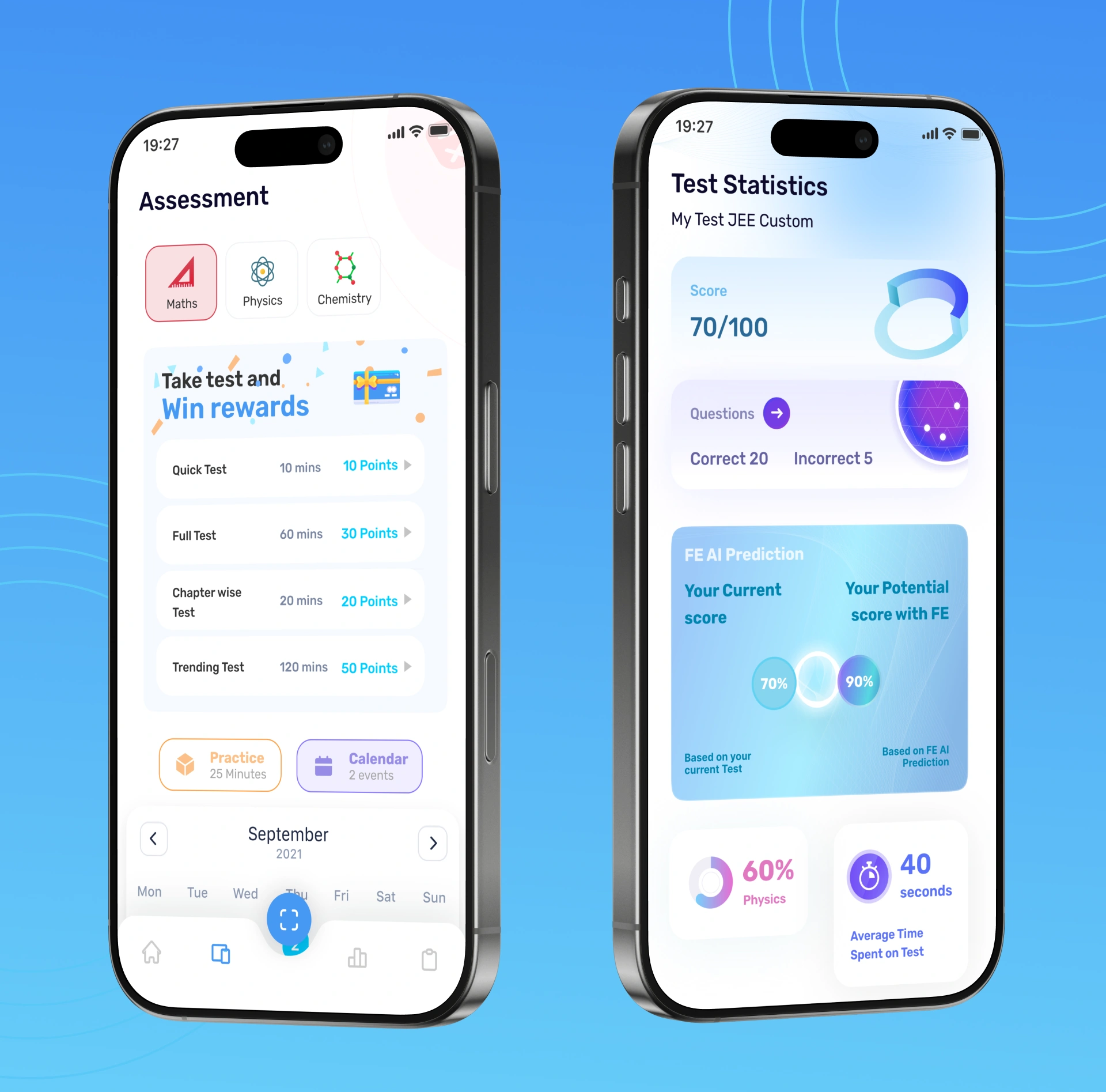
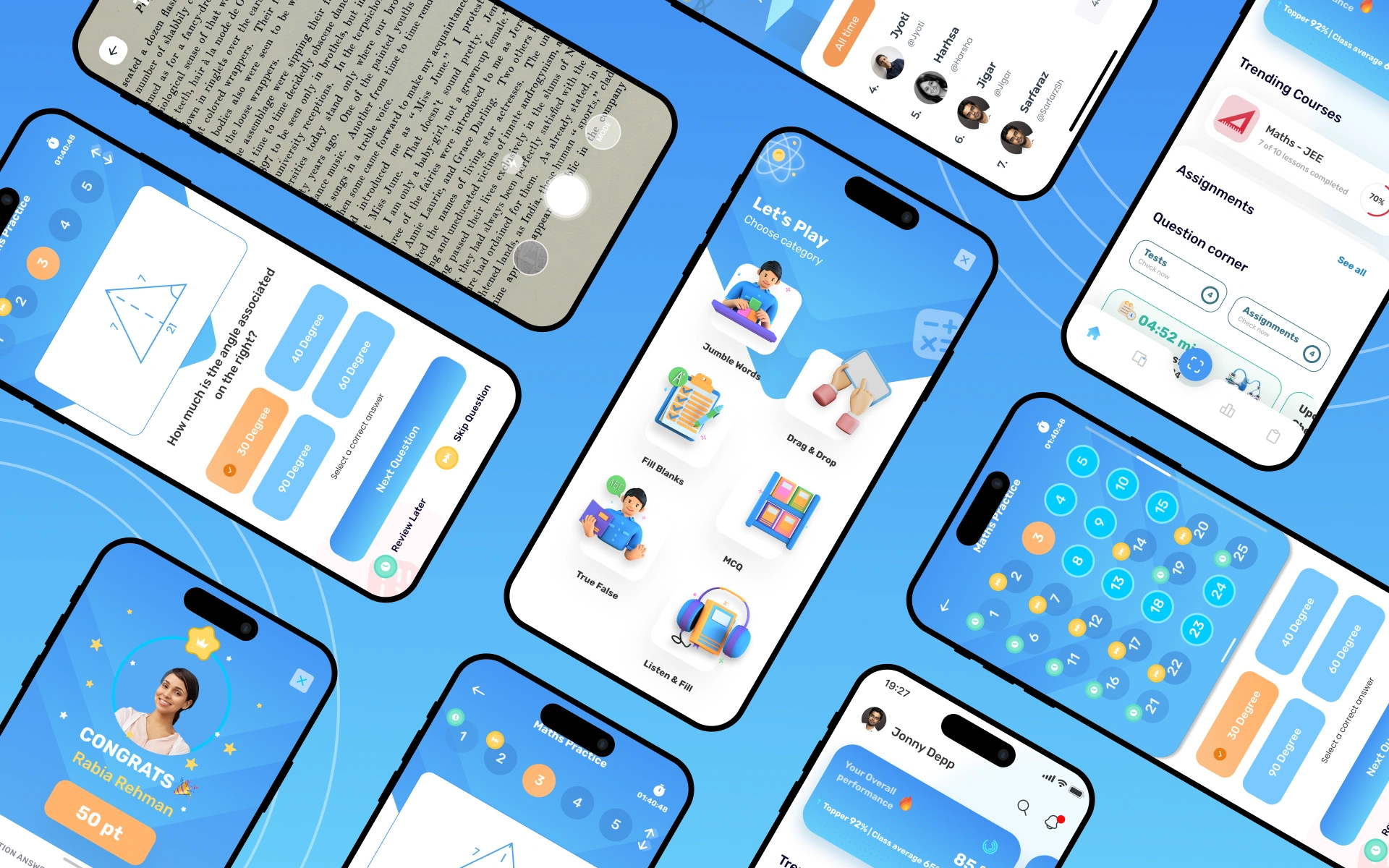
AppMatic Tech designed the student mobile experience screen by screen, prioritising the three highest-frequency tasks on every view. Each screen below shows how the role-specific information architecture surfaces courses, assessments, lessons, and assignments within one or two taps.
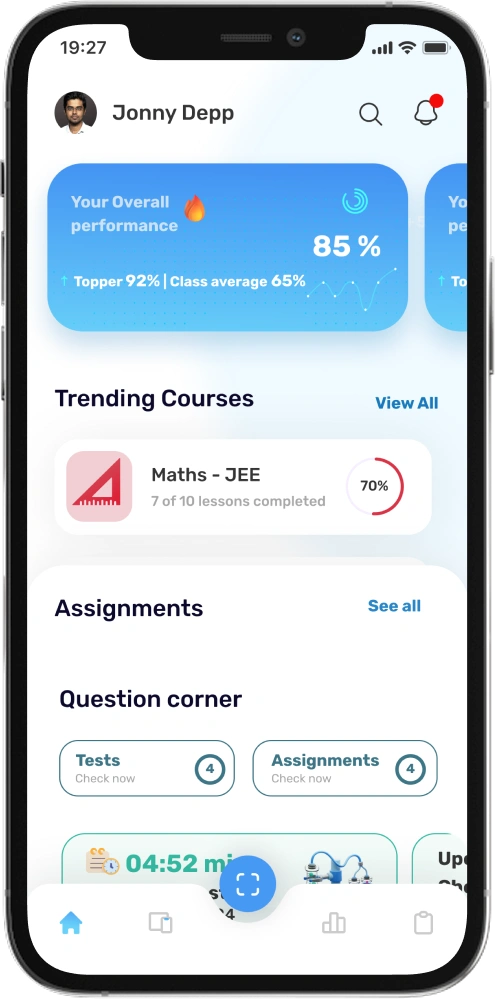
Student Home Dashboard
The student home dashboard opens to a live progress ring, trending courses, and the next pending assignment in a single scroll. AppMatic Tech placed the three tasks students perform most, resuming a course, checking progress, and opening the question corner, above the fold, so the most common journey starts without navigation.
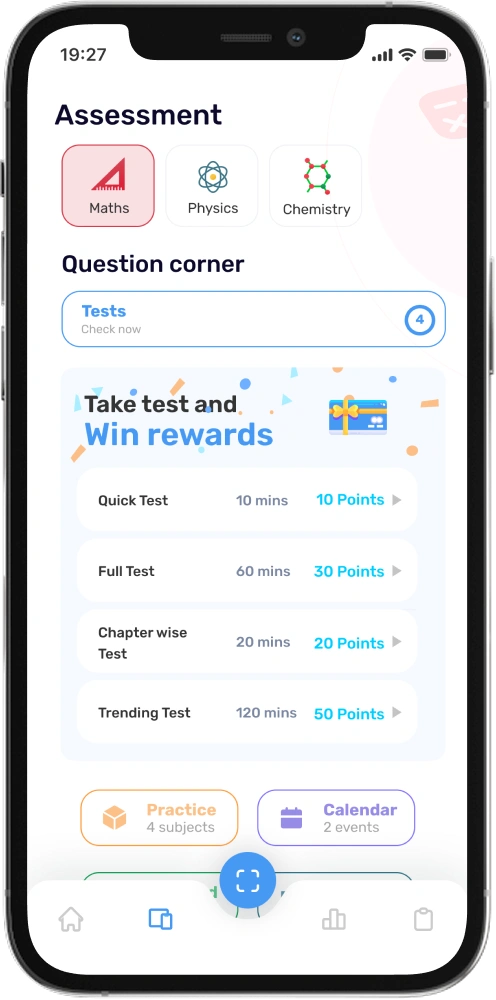
Assessment and Rewards
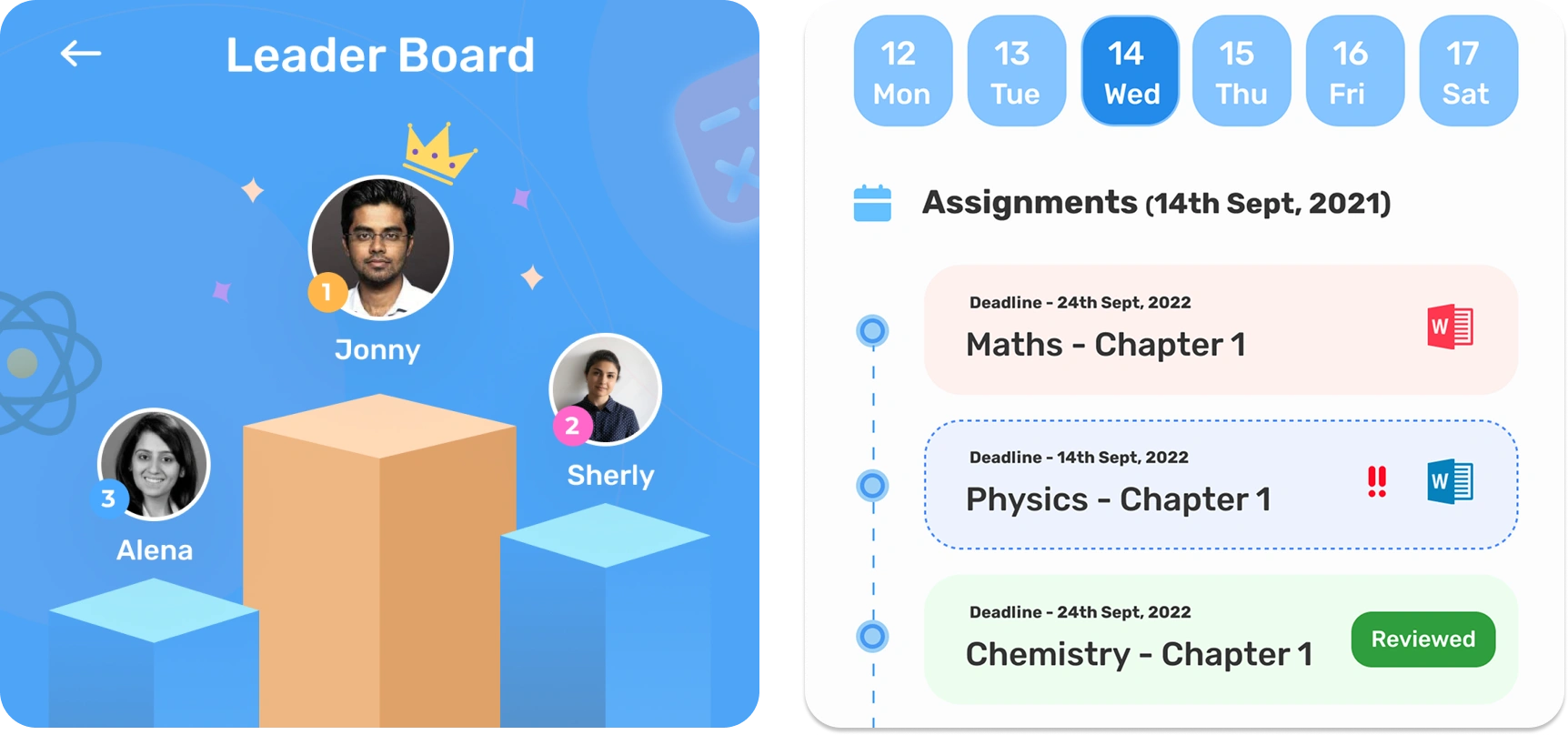
The assessment screen turns testing into a motivating loop. Students take a subject test, earn rewards, and track their standing against the class. AppMatic Tech designed the reward and leaderboard components to sit beside the test list rather than behind a separate menu, keeping the incentive visible at the moment a student decides whether to start a test.
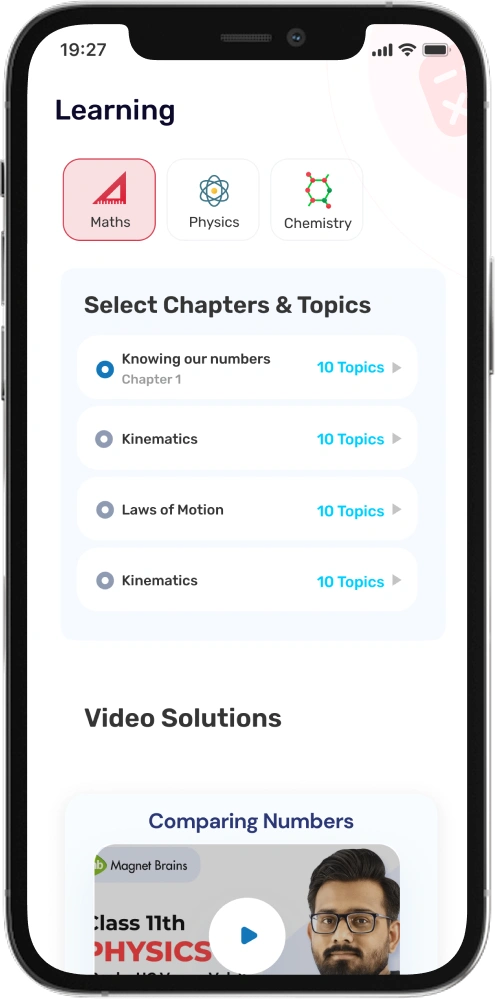
Chapter-Based Learning
The learning screen lets students select chapters and topics by subject, then drop directly into video solutions for any problem. AppMatic Tech structured the chapter list as a progressive disclosure pattern, so a student browsing one subject never loses the path back to the full topic map, reducing the steps between picking a topic and watching its solution.
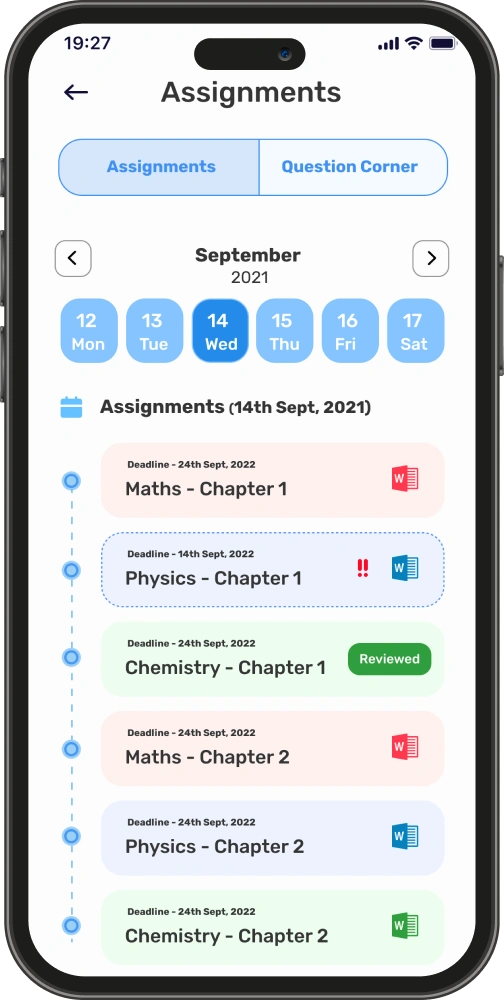
Assignment Calendar
The assignments screen pairs a monthly calendar with a colour-coded, subject-tagged task list. AppMatic Tech used the role-specific accent colours from the design system to mark each subject, so a student scanning the list identifies what is due, in which subject, and when, without reading every row in full.
How AppMatic Tech Redesigned the Platform
- User Research and Task Mapping
AppMatic Tech conducted stakeholder sessions with Future Education's CTO and Director to map the four user journeys, identify the highest-frequency tasks per user type, and define the information hierarchy for each role. The output was a task-frequency matrix that ranked every feature by how often each user type accessed it, which directly informed the navigation priority for each role.
Step 1
- Role-Specific Information Architecture
AppMatic Tech designed dedicated navigation structures for each user type rather than a single shared navigation with permission-based visibility. Each user type has a tailored dashboard and a flow optimised for their most frequent tasks. The three most frequent tasks for each user type are accessible within one tap or click from the dashboard. Features that previously required 4 to 6 navigation steps are reachable in 1 to 2 steps for the user type that uses them most. This restructuring produced the 3x reduction in time-to-feature.
Step 2 - Mobile-First for Students and Parents, Web-First for Teachers and Admins
AppMatic Tech designed the student and parent experiences mobile-first, with the web experience adapted from the mobile layout. Students check grades, view assignments, and consume lessons primarily on mobile. Parents check progress and communicate with teachers primarily on mobile. The teacher and admin experiences were designed web-first because course creation, grading, and institutional management workflows require screen real estate that mobile cannot efficiently provide.
Step 3 - Figma Design System and Handoff
AppMatic Tech built a Figma design system with reusable components, a defined type scale, a colour system with role-specific accent colours for visual orientation, and responsive layouts for both web and mobile. The design system ensures visual consistency across 100+ screens and enables Future Education's development team to implement new screens without design ambiguity. Handoff documentation includes spacing, typography, and component specifications.
Step 4
FE Design Stack
- Figma
- UI design, components, and developer handoff
- Real-Device Testing
- Layout validation on physical iOS and Android handsets
- Prototyping
- Clickable flows for stakeholder validation
- Icon Design
- Custom icon set drawn for the design system
- Typography Selection
- Rubik type scale tuned for screen reading

Related AppMatic Tech Services
This learning platform engagement was UI/UX design delivered to Future Education's development team. Explore the AppMatic Tech services that extend a design engagement into a shipped product.


Explore More Craft
Explore More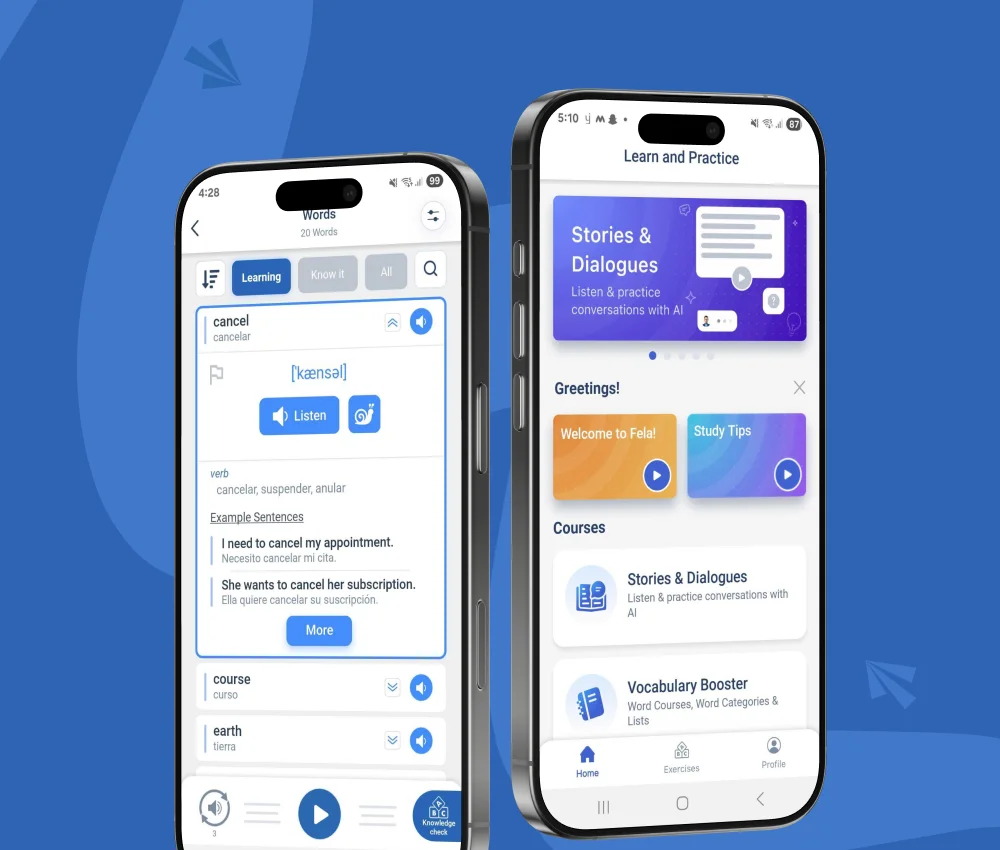
Fela
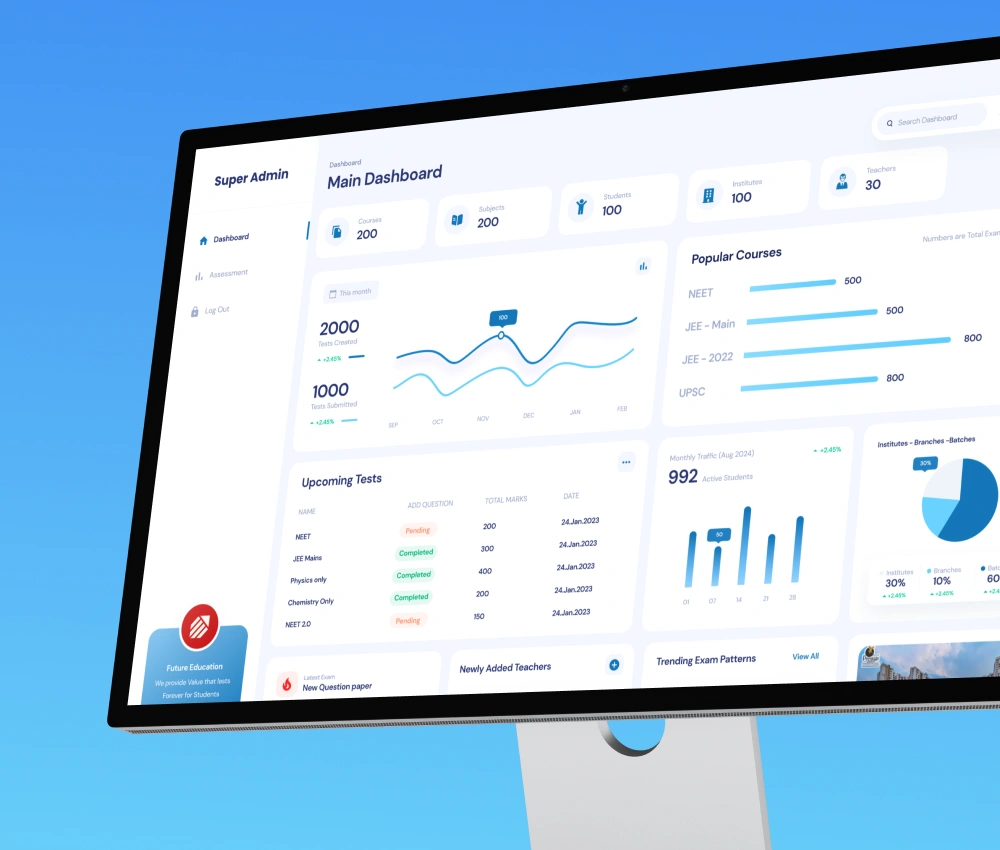
Future Education Dashboard
Start a Design Engagement with AppMatic Tech
All projects begin with a no-cost Discovery session. Contact the team at contact@appmatictech.com.
Scope Your Project