


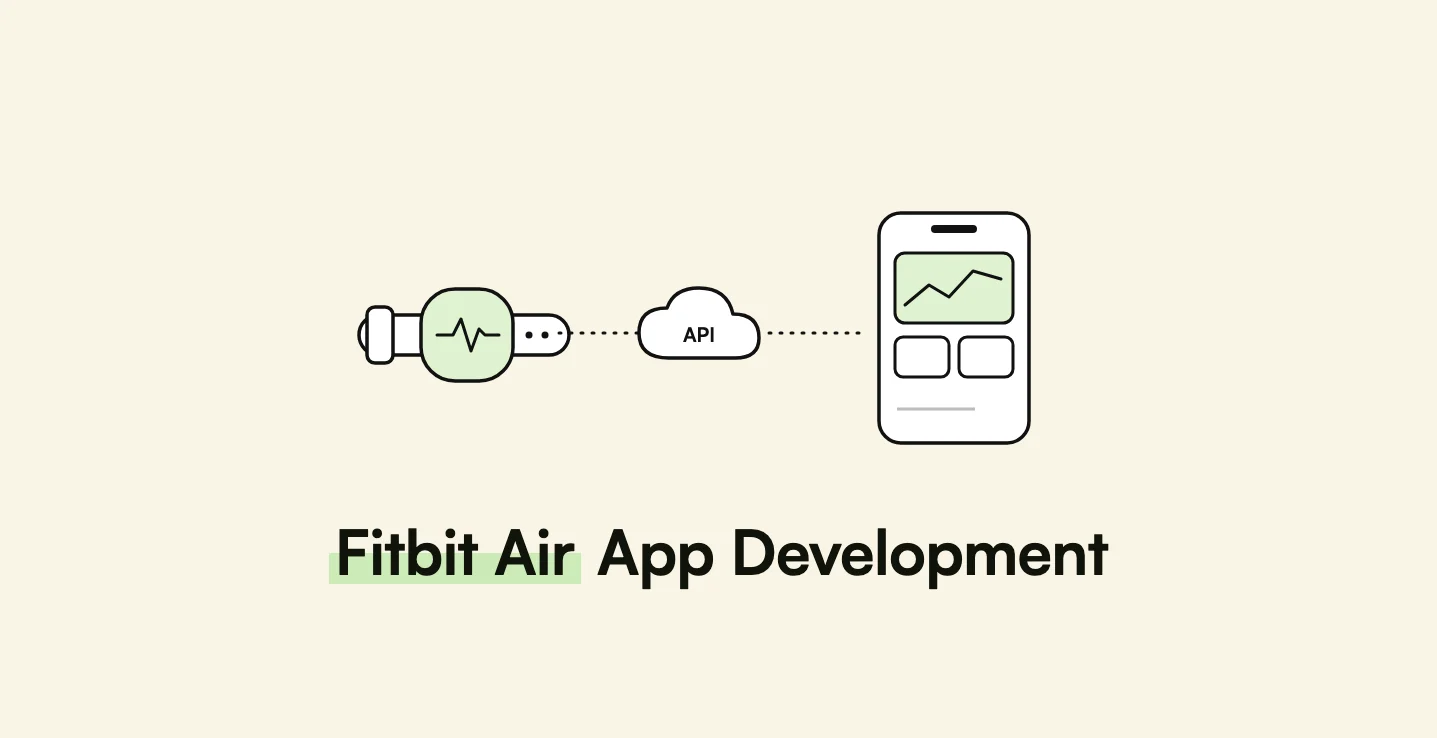
AppMatic Tech builds Fitbit Air app integrations on the Google Health API, using Google OAuth 2.0, webhooks, and Node.js or Laravel back ends feeding Swift, Kotlin, and Flutter apps, and migrates legacy Fitbit Web API products before the October 30, 2026 shutoff. AppMatic Tech is based in Ahmedabad, India, with 330+ products shipped.
Google announced the Fitbit Air on May 7, 2026: a $99.99 screenless tracker that weighs 5.2 grams as a bare pebble and runs for 7 days per charge. On the same day, the Fitbit app became the Google Health app. For a product team, the Fitbit Air raises one practical question: how does a third-party app get its data? The answer runs entirely through the Google Health API, which replaces the Fitbit Web API this month. This guide covers what the Fitbit Air measures, how the Google Health API works, what Google's verification process demands, and how AppMatic Tech architects the integration.
Key takeaways
A Fitbit Air app is a cloud integration, not a device integration.
| Point | Detail |
|---|---|
| No on-device apps | The Fitbit Air has no screen and no third-party app platform. |
| One data path | Fitbit Air data reaches third-party apps through the Google Health API, with Google OAuth 2.0 consent. |
| Hard deadline | Fitbit Web API support ended September 30, 2026; the API is turned off on October 30, 2026. |
| Every user re-consents | Legacy Fitbit tokens cannot be transferred to Google OAuth 2.0. |
| Verification is required | Most scopes are restricted; unverified apps are capped at 100 users. |
| Annual security assessment | Restricted-scope apps complete a CASA assessment every year. |
What is the Google Fitbit Air?
The Fitbit Air is a screenless activity and health tracker: a removable sensor pebble that moves between a bracelet, a sports band, and a sleep band. Reviewers compare the Fitbit Air with subscription-led bands such as WHOOP, because the Fitbit Air sells at a one-time price with optional Google Health Premium.
| Specification | Fitbit Air |
|---|---|
| Announced | May 7, 2026, with sales from May 26, 2026 |
| Price | $99.99, including 3 months of Google Health Premium |
| Weight | 5.2 g pebble; 12 g with the Performance Loop band |
| Sensors | Optical heart rate, 3-axis accelerometer and gyroscope, red and infrared sensors for SpO2, skin temperature sensor |
| Health features | 24/7 heart rate, HRV, irregular heart rhythm notifications for AFib, sleep tracking, automatic activity detection |
| Battery | Up to 7 days; 5 minutes of charging gives about 1 day |
| Connectivity | Bluetooth 5.0; no GPS (uses the phone) |
| Water resistance | 50 metres |
| Companion app | Google Health app (the renamed Fitbit app), on Android and iOS |
| Subscription | Optional Google Health Premium at $9.99 per month or $99 per year, which includes the Gemini-based health coach |
Because the Fitbit Air has no display, the Google Health app is where every reading appears. That design choice also defines how third-party developers reach the data.
Can third-party apps access Fitbit Air data?
Yes, but only through Google's cloud. The Fitbit Air pairs with the Google Health app over Bluetooth Low Energy, and the Google Health app syncs readings to the user's Google account. A third-party app then reads that data through the Google Health API, once the user grants consent.
- The pebble records heart rate, motion, SpO2, and skin temperature.
- The Google Health app syncs the readings from the pebble over Bluetooth.
- Google's cloud stores the data against the user's Google Health account.
- The third-party back end requests data through the Google Health API, using the user's OAuth 2.0 tokens.
- The third-party app displays the data, combines it with its own features, and stores what the product needs.
Three consequences follow for product design:
- A direct Bluetooth connection is not an option. The Fitbit Air's Bluetooth protocol is not a published developer interface, so a third-party app cannot pair with the pebble.
- Data freshness depends on the Google Health app. Readings reach the API only after the tracker syncs to the Google Health app, so the integration must tolerate delays and late-arriving data.
- The back end does most of the work. OAuth tokens, webhook handling, and data normalisation belong on a server, not in the mobile app.
Teams that want on-device access on Android should confirm, per data type, what the Google Health app writes to Health Connect on the user's phone before designing around it. The platform trade-offs are compared in HealthKit vs Health Connect vs Google Health API.
What replaced the Fitbit Web API?
The Google Health API is the Fitbit Web API rebuilt on Google infrastructure. It covers all Fitbit devices and Google Pixel watches, current and previous, with available data depending on each device's sensors.
| Date | What happens |
|---|---|
| September 30, 2026 | Fitbit Web API support ends. Google no longer fixes bugs or provides support, but the API keeps running. |
| October 30, 2026 | The Fitbit Web API is turned off and stops syncing data to or from Fitbit users. |
The main differences an engineering team has to absorb:
| Area | Legacy Fitbit Web API | Google Health API |
|---|---|---|
| Sign-in | Fitbit Authorization | Google OAuth 2.0, in a system browser |
| Scopes | Fitbit scopes | Scopes prefixed https://www.googleapis.com/auth/googlehealth, most of them restricted |
| User ID | 6-character alphanumeric Fitbit ID | healthUserId, up to 63 characters |
| Endpoints | 100+ endpoints | A consolidated set of data type bundles |
| Daily summaries | Single-day summary endpoints | dailyRollup method with a 1-day window |
| Intraday data | Intraday endpoints | list method, with webhooks for relevant data types |
| Deletion | Log deletion endpoints | batchDelete method |
| Multi-source data | Device data only | A first-party stream plus a "Reconciled Stream" that merges overlapping sources |
Google also describes consistent units, time zones, and error handling across the new API, plus gRPC support alongside HTTP/REST. Read and write access is now controlled per scope rather than per app.
Pro tip: Treat the Reconciled Stream and the first-party stream as different products. A coaching app that wants "what the user's day looked like" usually wants reconciled data, while a research or validation app that must know which device produced a reading usually wants the first-party stream.
Which Fitbit Air data types can an app read?
Google groups Google Health API data into categories, and the Fitbit Air's sensors feed most of them.
| Google Health API category | Fitbit Air source | Typical third-party use |
|---|---|---|
| Steps | Accelerometer and gyroscope | Activity goals, corporate wellness challenges |
| Workouts | Automatic activity detection, phone-started workouts | Training logs, coaching plans |
| Sleep and recovery | Motion, heart rate, HRV | Sleep coaching, readiness-style scores |
| Vitals | Heart rate, HRV, SpO2 | Trend dashboards, wellness insights |
| Skin temperature | Skin temperature sensor | Temperature variation trends, cycle-aware features |
| Calories and energy | Heart rate and motion models | Nutrition and weight management apps |
| Nutrition and hydration | Manual entries in the Google Health app | Diet tracking integrations |
| Women's health | Manual cycle logs in the Google Health app | Cycle tracking features |
Google's published roadmap adds more data types toward parity with Health Connect through Q4 2026 and Q1 2027, including granular skin temperature and basal metabolic rate, and a public beta channel for early access. An integration should map Google's types into the product's own data model, so new types arrive as additions rather than rewrites.
How does Google Health API verification work?
Verification is the step most teams underestimate. Google's app verification page sets out the requirements:
- Restricted scopes
- Most Google Health API scopes are restricted, so an app must complete verification before public release.
- 100-user cap
- An unverified app is limited to 100 users, and a Google Play listing does not lift the cap.
- OAuth app verification
- Google's Trust and Safety team reviews the app's identity, requested scopes, and the details entered in the Google Cloud console. Vague or duplicate scope justifications cause delays.
- CASA security assessment
- An authorised third-party assessor tests the app against the Cloud App Security Assessment framework, based on OWASP ASVS, every year. The assessor issues a Letter of Validation for Google.
- Assessment cost and time
- Google lists assessor fees of $500 to $4,500, with about 2 to 3 weeks for Tier 2 apps and 4 to 6 weeks for Tier 3 apps.
- In-app disclosure
- The app must show, during normal use, which health and fitness data it collects and why. A privacy policy or store listing alone does not satisfy the requirement.
Existing HITRUST, SOC 2, or ISO/IEC 27001 certification can reduce CASA effort, but an authorised CASA assessor is still required. Routing data through a third-party aggregator does not remove the obligation for whoever owns the Google OAuth client.
AppMatic Tech plans verification as a workstream in the project schedule, starting the scope justifications and disclosure copy during design, so the 100-user cap never blocks a launch.
How should a Fitbit Air integration be architected?
AppMatic Tech uses the same seven-step pipeline for every Google Health API integration:
- Consent in a system browser. The mobile app opens Google OAuth 2.0 in the system browser, requests only the scopes each feature needs, and returns tokens to the back end.
- Identity mapping. The back end calls
users.getIdentityathttps://health.googleapis.com/v4/users/me/identityand stores thehealthUserId. - Account-link check. If Google returns
FAILED_PRECONDITIONwith reasonACCOUNT_NOT_LINKED, the user has not linked Google Health to a Google account. The app shows the sign-up link from the error metadata and does not mark the connection as active. - Webhook subscription. The back end registers webhooks for the data types in use, so new data triggers a fetch instead of constant polling.
- Fetch and normalise. A worker fetches changed data with
listordailyRollup, converts it into the product's own data model, and stores it with the source stream recorded. - Reconciliation job. A scheduled job re-fetches recent days to catch late syncs and missed webhooks, because the tracker reaches Google's cloud only after the Google Health app syncs.
- Scope-loss handling. If a user revokes a scope, the app degrades the affected feature and prompts for consent again, rather than showing empty charts.
The mobile side follows the offline-first rules in wearable companion app development: cache what the user has already seen, show sync status honestly, and never present a missing day as a zero.
How should an existing Fitbit integration migrate?
Teams still on the Fitbit Web API have until October 30, 2026, after which syncing stops. Google's migration guide prescribes a pattern that AppMatic Tech follows:
- Add an
oauth_typeflag (fitbitorgoogle) to every user record, and route API calls through a layer that reads it. - Start new users on Google OAuth 2.0 immediately.
- Prompt existing users to re-consent with dismissible banners that lead with the benefit, not the API change, and never during a workout or manual logging.
- Map identities with
users.getIdentity, store the new tokens, set the flag togoogle, and revoke the legacy Fitbit tokens. - Never dual-link. A user must not hold active Fitbit and Google Health connections at the same time.
- Backfill history after re-consent, following Google's guidance on querying historical data.
Users who re-consent after the shutoff do not lose their data, because the tracker keeps syncing to the Google Health app, but the product shows a gap until the backfill runs. The migration service is described on the Google Health API migration solution page.
Where is the Fitbit Air sold, and why does availability matter?
Google's May 2026 launch list covered 20 markets: Australia, Austria, Belgium, Canada, Denmark, Finland, France, Germany, Ireland, Italy, Japan, the Netherlands, New Zealand, Norway, Singapore, Spain, Sweden, Switzerland, the United Kingdom, and the United States.
The launch list did not include India or the Gulf states. A product that serves users in India, Saudi Arabia, or the UAE cannot assume users own a Fitbit Air, and needs a multi-source design that also reads WHOOP, Apple HealthKit, Health Connect, or vendor APIs. Regional market data and data protection rules are covered in wearable app development in India and wearable app development for Saudi Arabia and the UAE, and the cross-vendor trade-offs are compared in wearable health data APIs compared.
In the 20 launch markets, regulation also shapes what a Fitbit Air app can say. A coaching app that turns heart rate or SpO2 into disease-related advice can cross from wellness into medical device territory under FDA, MHRA, or EU MDR rules, as explained in when a wearable app becomes a medical device.
Accessory makers face a separate requirement set. Google's Fitbit Air band guidelines, published with CAD drawings in June 2026, require bands to keep the optical sensors unobstructed and maintain at least 35 mmHg of contact pressure, as covered in the wearable companion app guide.
How AppMatic Tech builds Google Health API integrations
AppMatic Tech has shipped 330+ products since 2017 with an 83% client retention rate and a 5.0 Clutch rating, including six BLE device integrations. The wearable work most relevant to Fitbit Air integrations:
- EYVA: a non-invasive wellness device measuring six vitals. AppMatic Tech took the iOS and Android app over mid-development and shipped the production MVP in eight months.
- Trackwel: a BLE kitchen scale with a Flutter companion app and Laravel back end, shipped in 10 weeks with zero app-side BLE errors.
- Capmedic: a spirometry device app built in Kotlin for deployment at Northwestern Medicine.
For a product that reads WHOOP data alongside Fitbit data, see the WHOOP API integration guide. For a team building its own screenless band, see how to build a screenless fitness tracker app like WHOOP or Fitbit Air.
The full service, device platforms, and shipped BLE work are on the AppMatic Tech wearable app development page. Scoping a Google Health API integration or migration starts at contact@appmatictech.com or the contact page.
Sources
| Claim used in this article | Source |
|---|---|
| Fitbit Air announcement, price, sensors, battery, weight, bands, markets, and Google Health app | 9to5Google, Fitbit Air launch |
| Google Health Premium price and Gemini health coach | TechCrunch, Google's AI health coach |
| Fitbit Web API support end and shutoff dates; data categories; Reconciled Stream; roadmap | Google Health API, About |
Re-consent, oauth_type pattern, users.getIdentity, scope prefix, account-link error | Google Health API, Migration guide |
Endpoint mapping to dailyRollup, list, and batchDelete | Google Health API, API specifications |
| Restricted scopes, 100-user cap, CASA assessment, fees, timelines, in-app disclosure | Google Health API, App verification |
| CASA responsibility stays with the OAuth client owner | Open Wearables, Google CASA verification for health apps |
| Fitbit Air band guidelines and 35 mmHg contact pressure | 9to5Google, Fitbit Air blueprints |
Frequently Asked Questions
- Can developers build apps for the Google Fitbit Air?
- Developers cannot install apps on the Fitbit Air, because the Fitbit Air is a screenless tracker with no on-device app platform. Third-party apps read Fitbit Air data from Google's cloud through the Google Health API, after the tracker syncs to the Google Health app and the user grants consent through Google OAuth 2.0. AppMatic Tech builds Google Health API integrations for coaching, wellness, and research products.
- When does the Fitbit Web API shut down?
- Google's Google Health API documentation states that support for the legacy Fitbit Web API ends on September 30, 2026, and that the Fitbit Web API is turned off on October 30, 2026, after which the Fitbit Web API stops syncing data to or from Fitbit users. Every integration must move to the Google Health API and Google OAuth 2.0 before October 30, 2026.
- Does a Google Health API app need Google verification?
- Yes, for public release. Google states that most Google Health API scopes are restricted, that unverified apps are limited to 100 users, and that restricted-scope apps must pass OAuth app verification plus an annual security assessment under the Cloud App Security Assessment (CASA) framework. Google lists assessor fees of $500 to $4,500 and timelines of 2 to 6 weeks depending on tier.
- What data can an app read from a Fitbit Air?
- The Fitbit Air carries an optical heart rate sensor, a 3-axis accelerometer and gyroscope, red and infrared sensors for blood oxygen, and a skin temperature sensor. Through the Google Health API, apps can request data in categories that include steps, workouts, sleep and recovery, vitals, skin temperature, and calories, subject to user consent and what the device supports.
- Do existing Fitbit users need to reconnect their accounts?
- Yes. Google's migration guide states that existing Fitbit access and refresh tokens cannot be transferred to Google OAuth 2.0, so every existing user must re-consent. After Google sign-in, the app calls users.getIdentity to map the legacy Fitbit user ID to the new healthUserId, stores the new tokens, and revokes the legacy Fitbit tokens.